
What Buildwell keeps connected.
Most change-order problems aren't caused by one missing form. They happen because the budget, approval, receipt, customer conversation, billing, and backup all live in different places. Buildwell connects the records that protect the money trail.
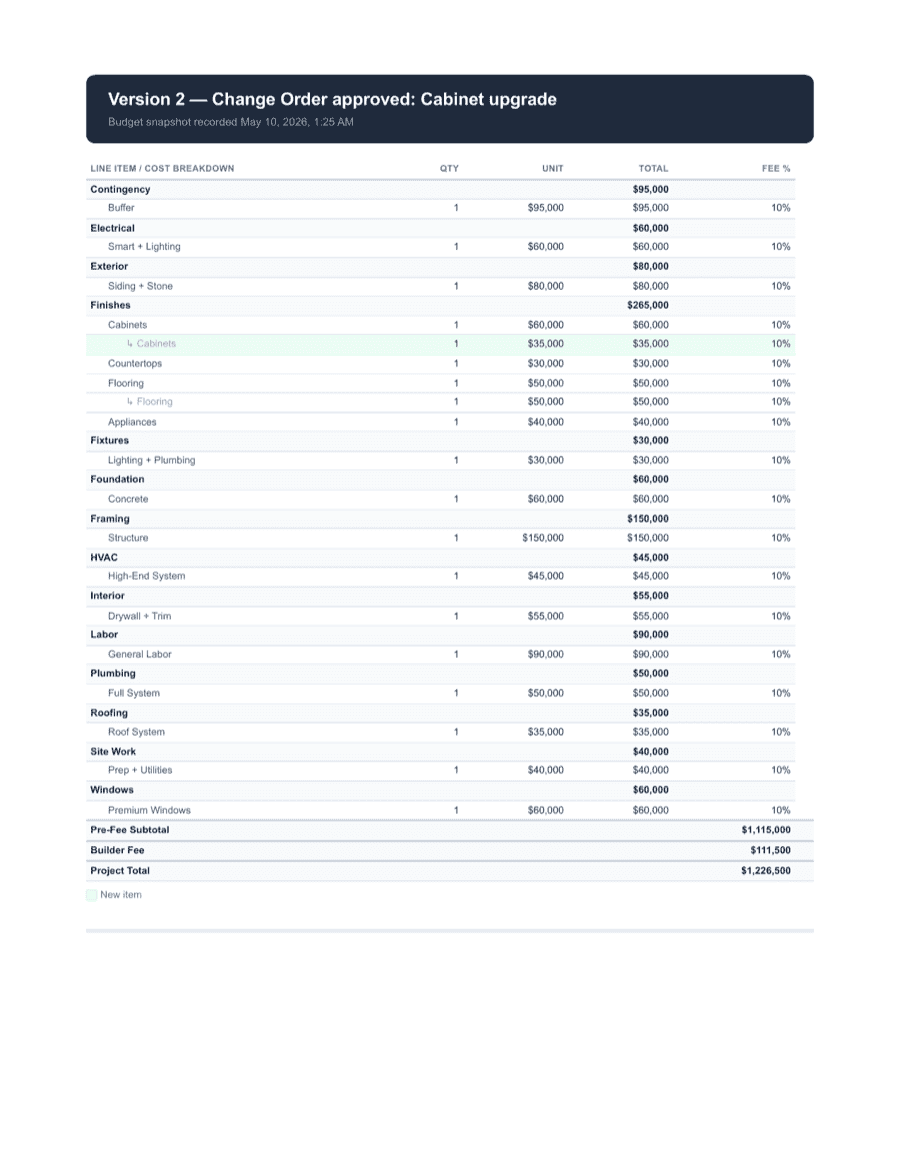
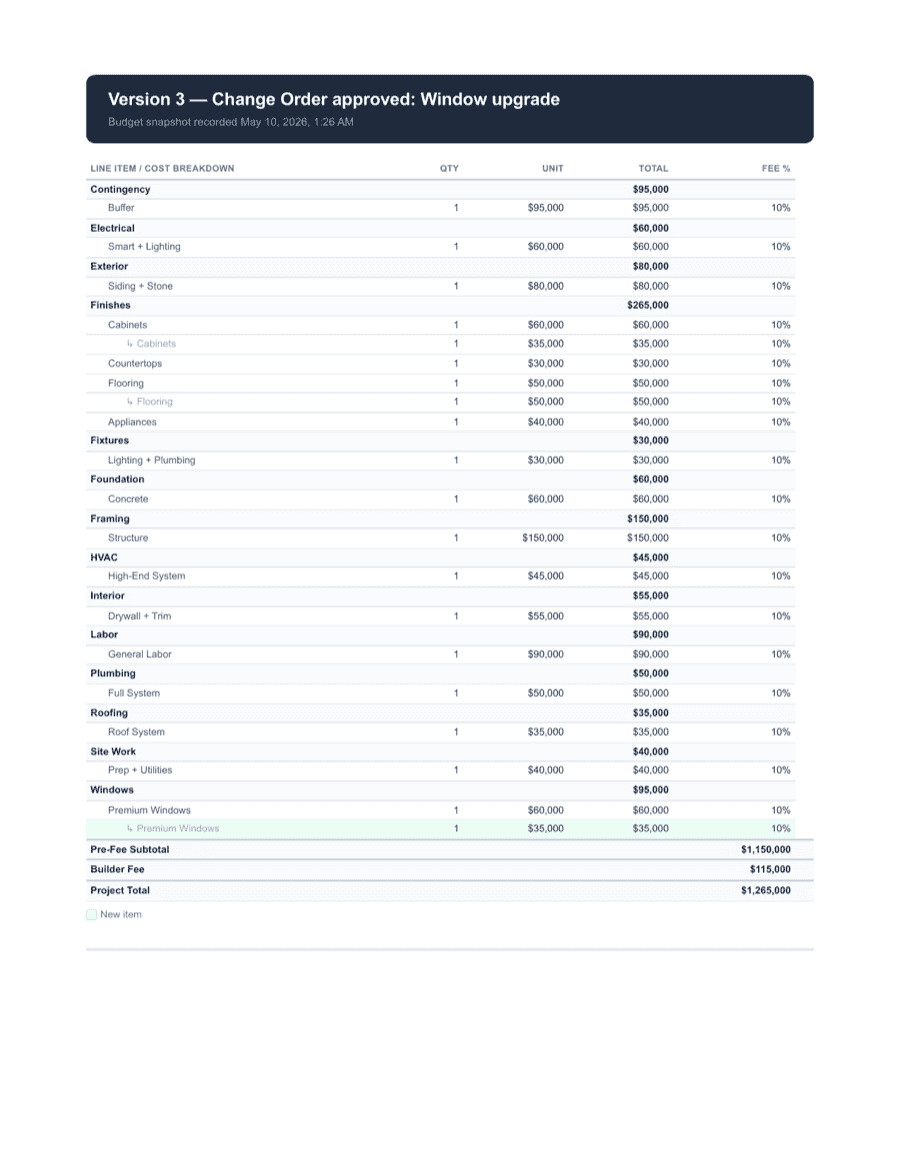
Budget and line items
Start from the job record. Project line items, supporting documents, and changes all stay tied together.
Change orders
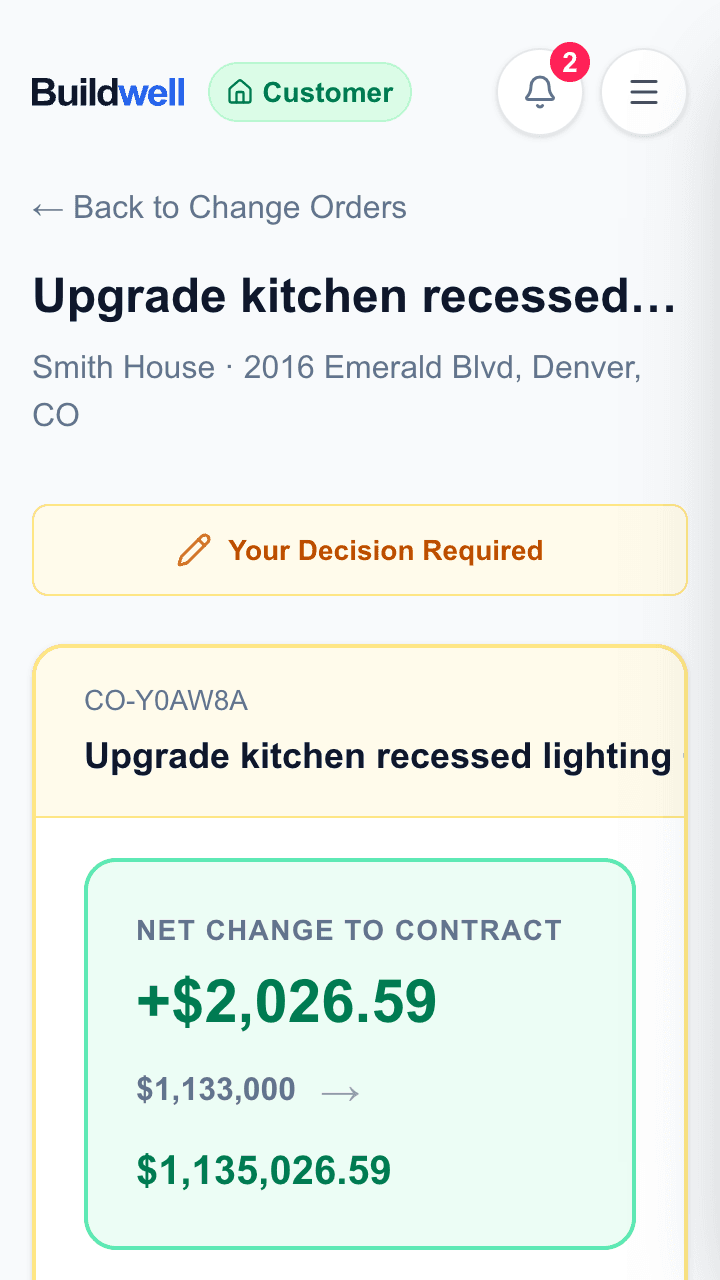
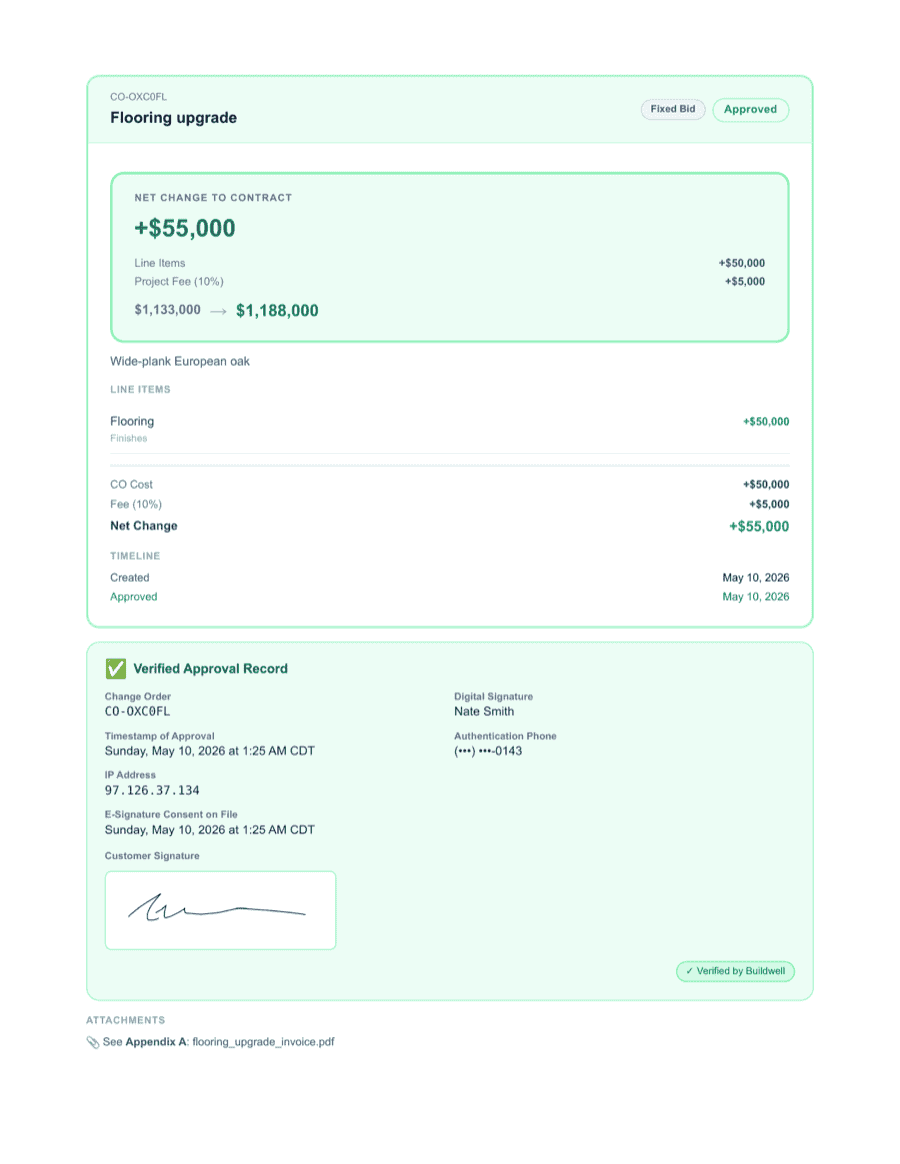
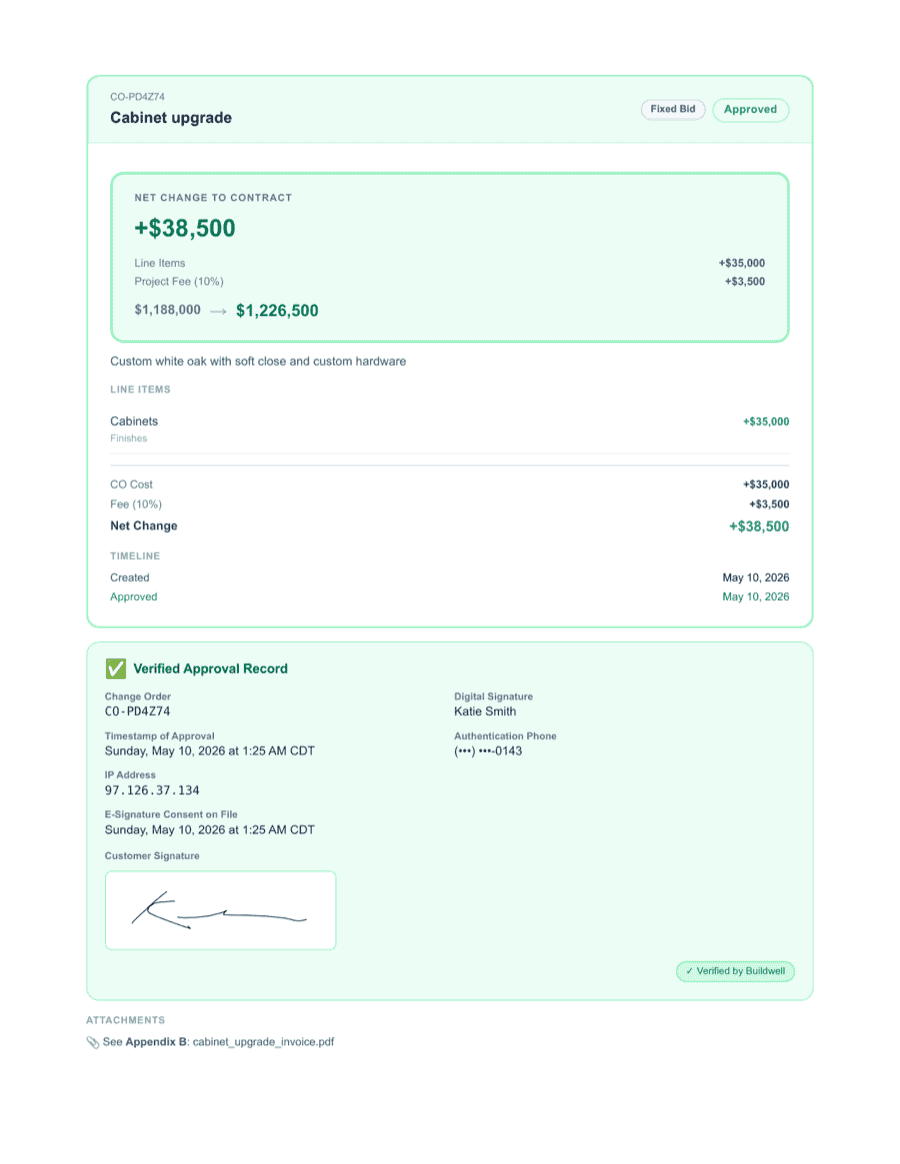
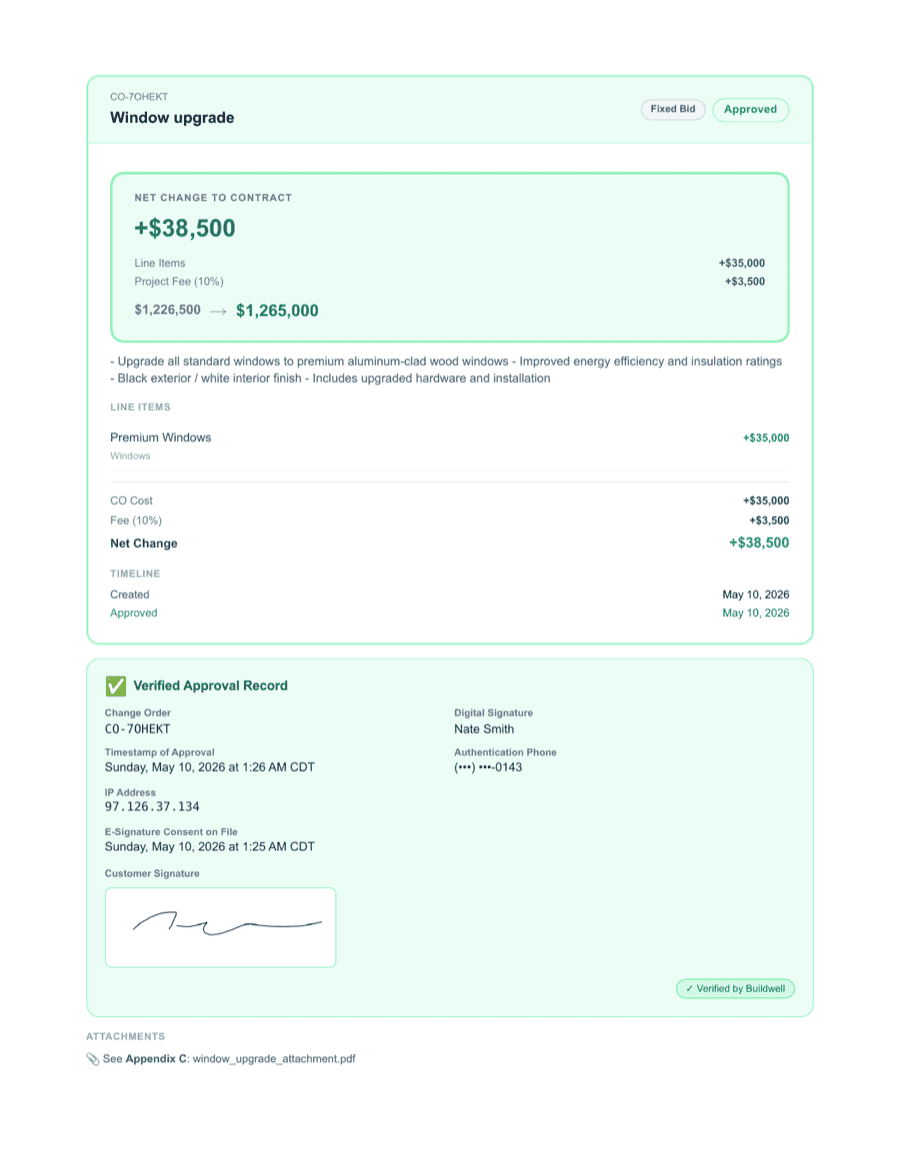
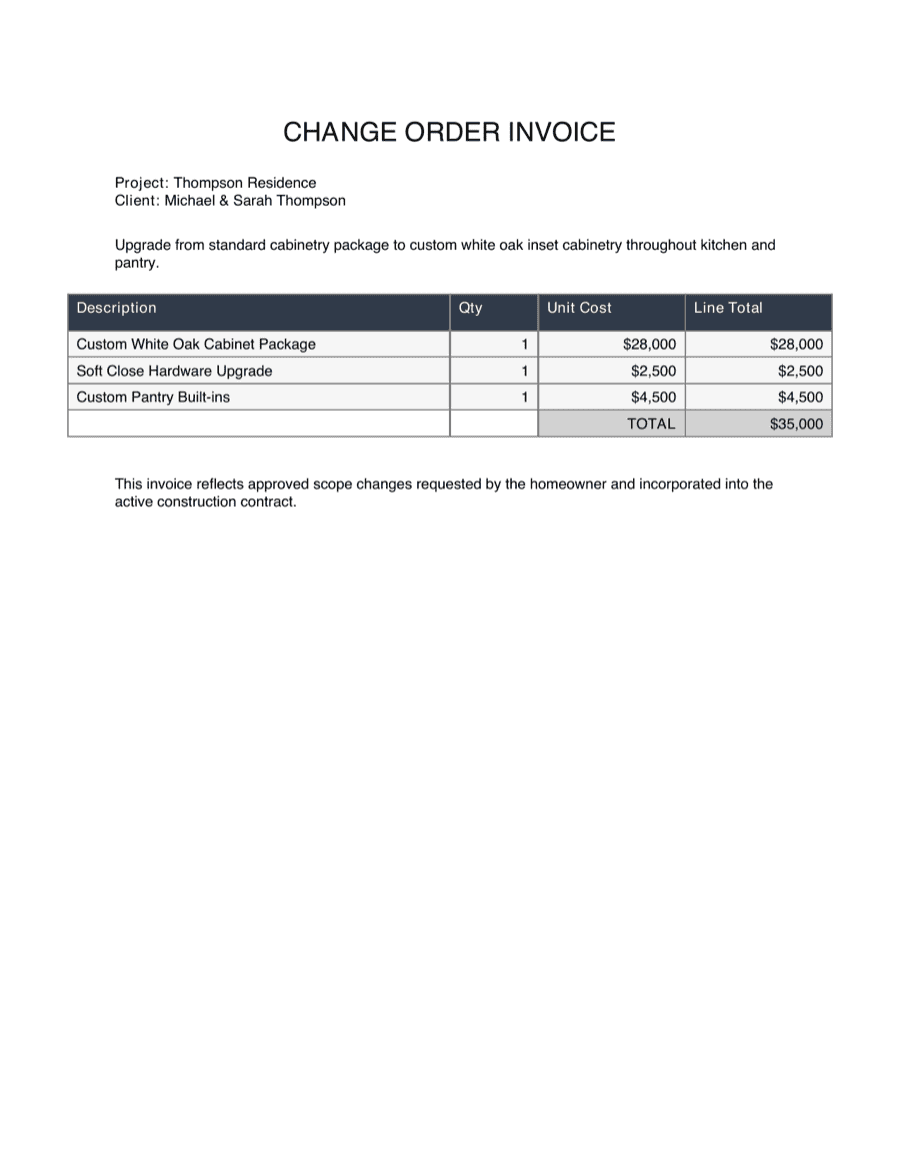
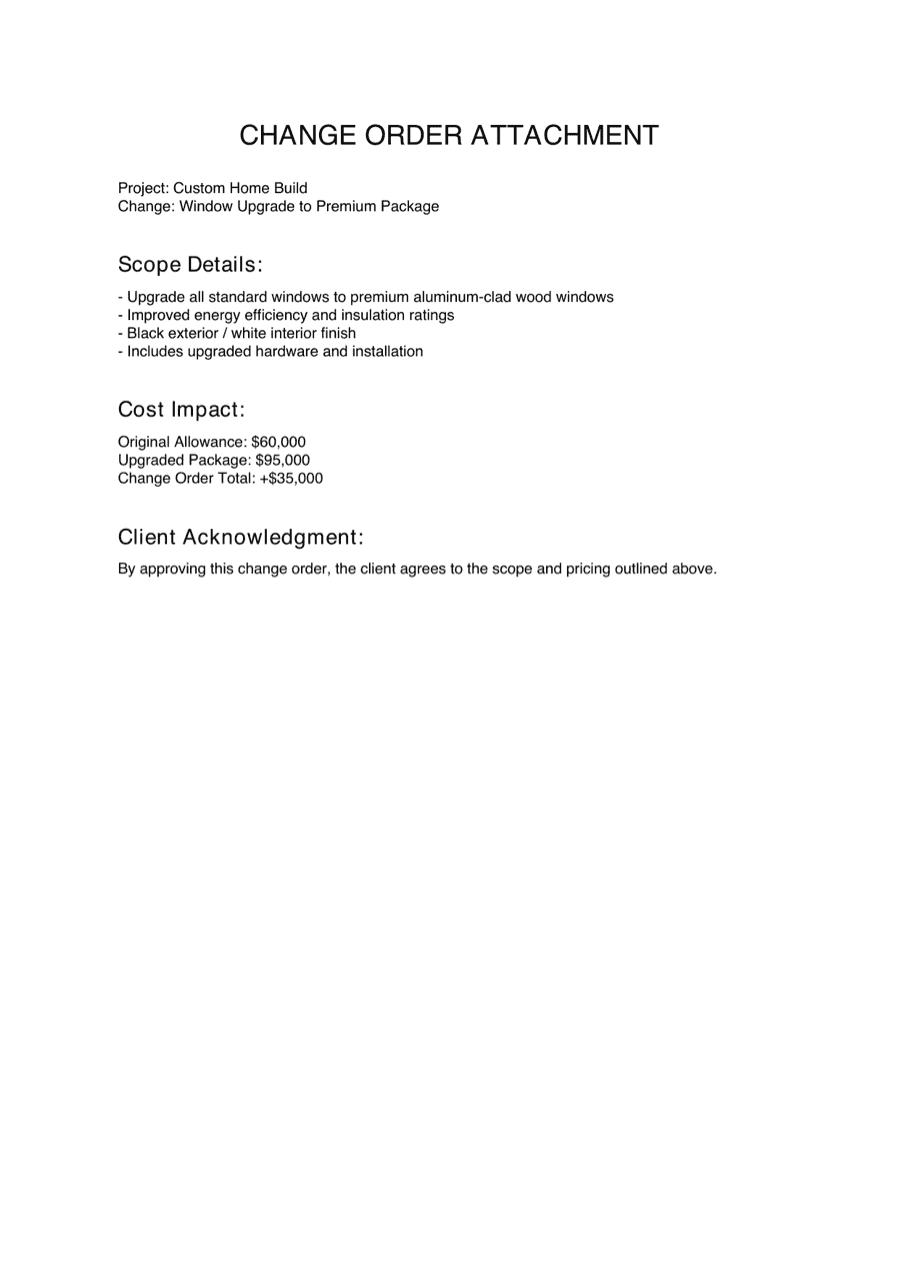
Document the change, send a customer approval link, capture the signature, keep the proof trail.
Time and materials
Log labor, materials, notes, and receipt photos while the work is happening.
Billings
Draft how much is billed from each line item, share with the customer, and manage Draft, Pending, and Complete yourself. Payment stays off platform.
Customer links
Customers review, approve, sign, upload, or view shared records from a link — no app or account needed for one-tap actions.
Audit packets
Export the full proof trail when a customer, lender, partner, or teammate asks what happened.
The core workflow.
- 1
Set up the project.
Project, budget, line items, participants, and customer-facing branding — once at the start.
- 2
Document the change.
What changed, why, what it costs, and what supporting files belong with it. Captured in one place while it's fresh.
- 3
Send the approval link.
Send a clean customer-facing link. Tap, review, sign — no account required.
- 4
Track related work.
Receipts, photos, T&M logs, line-item documents, invoices, or supporting notes attach as work moves forward.
- 5
Draft the billing.
Pull amounts from the relevant line items, share with the customer, and manage Draft, Pending, and Complete yourself.
- 6
Export the record.
Generate an audit packet whenever someone asks what changed, what was approved, what was billed, and what proof exists.
Change orders that are easy to send, easy to sign, and hard to dispute.
When scope, price, or schedule shifts, document it once and send a clean approval link. Even a homeowner can read it without calling for an explanation.
What gets captured
- Change title and description
- Reason for the change
- Cost impact
- Schedule note, if applicable
- Budget line or project context
- Attachments such as photos, receipts, estimates, drawings, or PDFs
- Customer approval status
- Customer signature
- Approval timeline
T&M logs that don't disappear into texts and receipt piles.
Capture work as it happens. Buildwell keeps labor, materials, notes, and receipts connected to the job record so they support approvals, billings, and audit packets later.
What gets captured
- Labor entries
- Material entries
- Notes
- Receipt photos
- Supporting attachments
- Shared tracker links when needed
- Project or line-item context
Billings without pretending to be the payment rail.
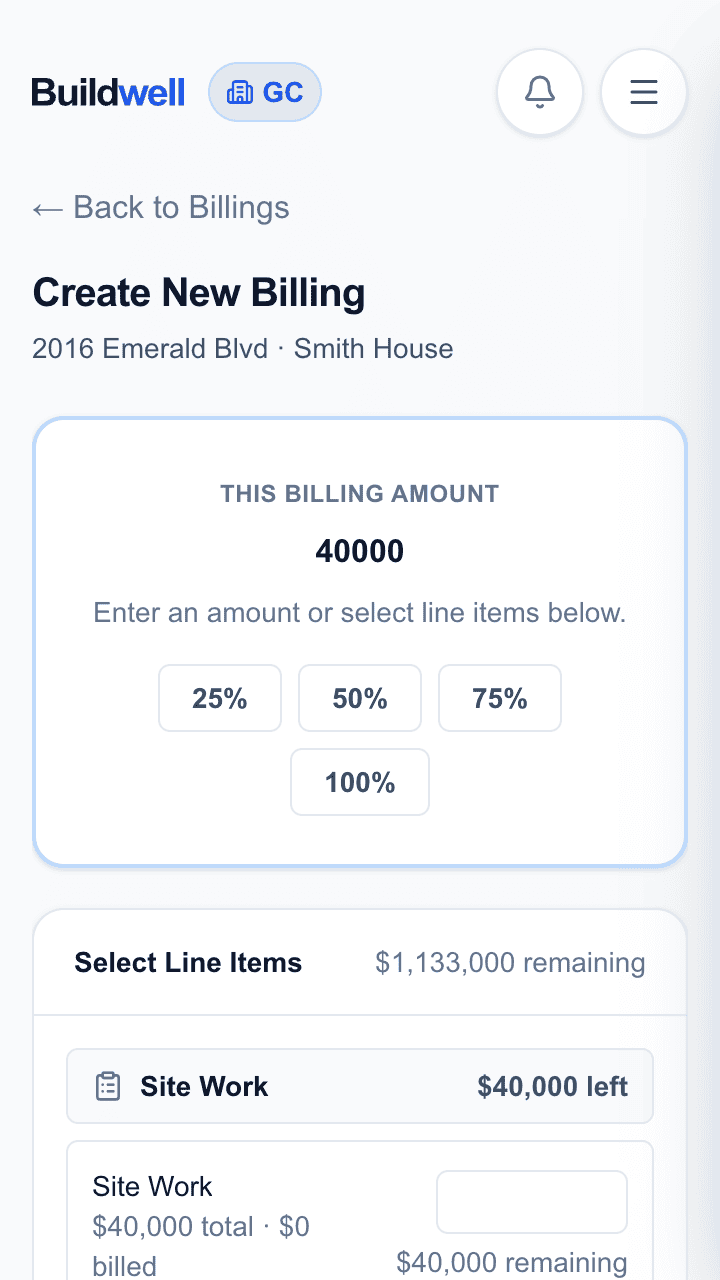
A Buildwell billing is a clean record of what should be billed from the project — line by line, share-able with the customer. It doesn't move money.
How it works
- Create a billing from the project record.
- Draft how much should be billed from each relevant line item.
- Share the billing with the customer for visibility.
- Manage status manually: Draft, Pending, Complete.
- Handle payment off platform through the project's real process.
Draft
Still being prepared internally.
Pending
Shared or waiting on the project's payment process.
Complete
Marked complete when that billing is done.
Payment can come from a construction loan, the customer directly, a split, a check, ACH, or another off-platform workflow. Buildwell keeps the billing record organized; it doesn't move the money.
Customer-facing pages can look like your business — without hiding Buildwell entirely.
Add your logo, set the main contract/customer card color, and customer-facing pages feel like your brand. Buildwell stays visible in the navigation and a few supporting places so there's no question about who operates the workflow.
Custom-branded, not full white-label.
What can be customized
- Company logo
- Main contract/customer card color
- Customer-facing approval and billing presentation
What stays clear
- Buildwell still appears in navigation and supporting product chrome.
- We don't promise full white-labeling.
- Branding builds trust without confusing who operates the software.
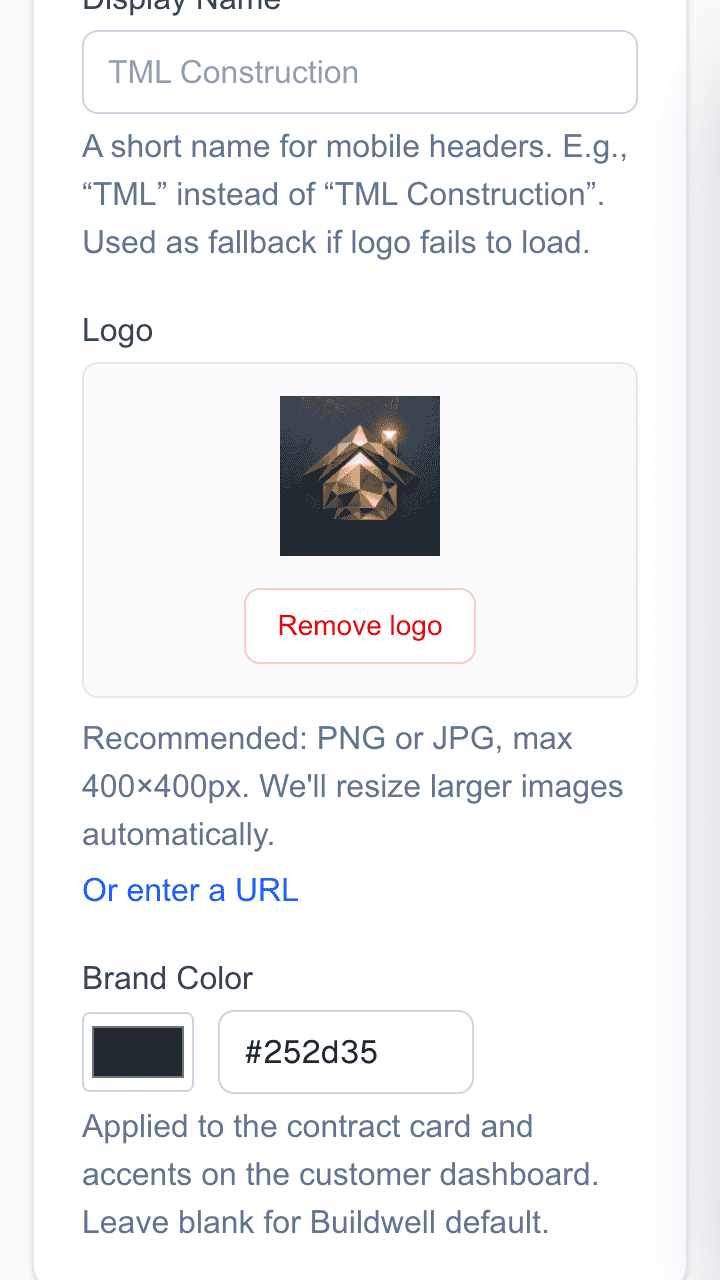
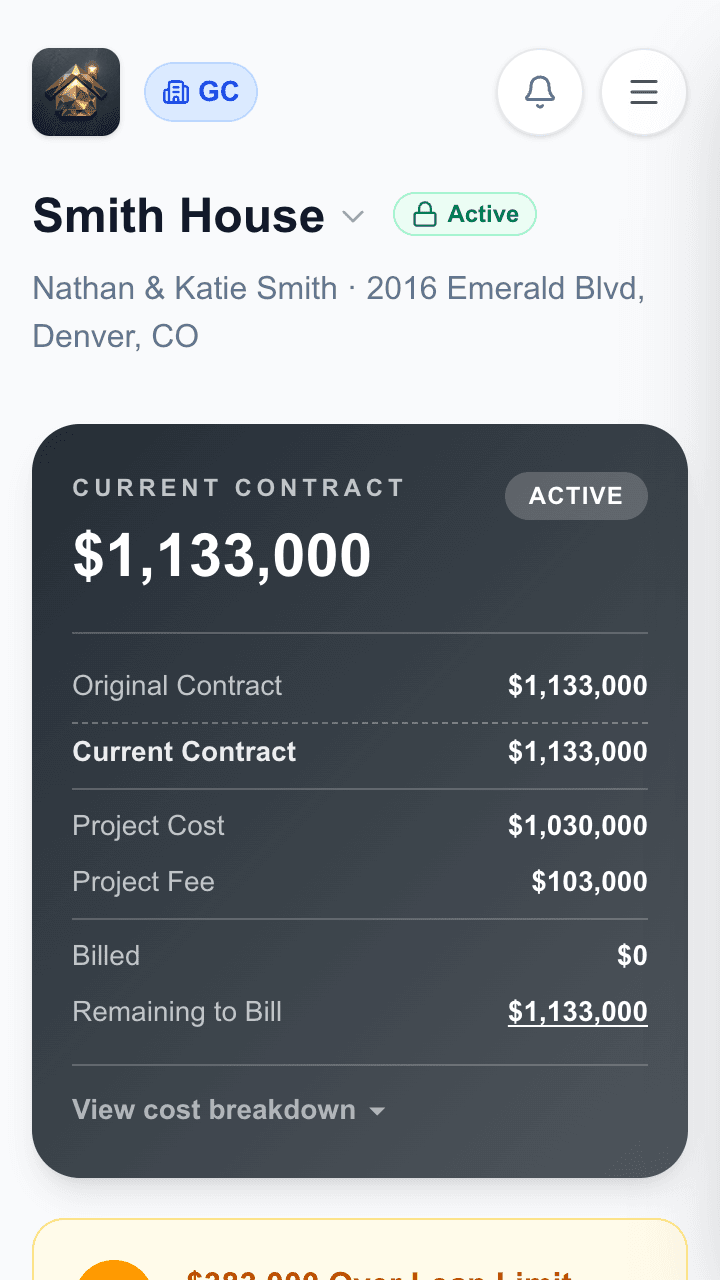
1 — Upload your logo, pick a color
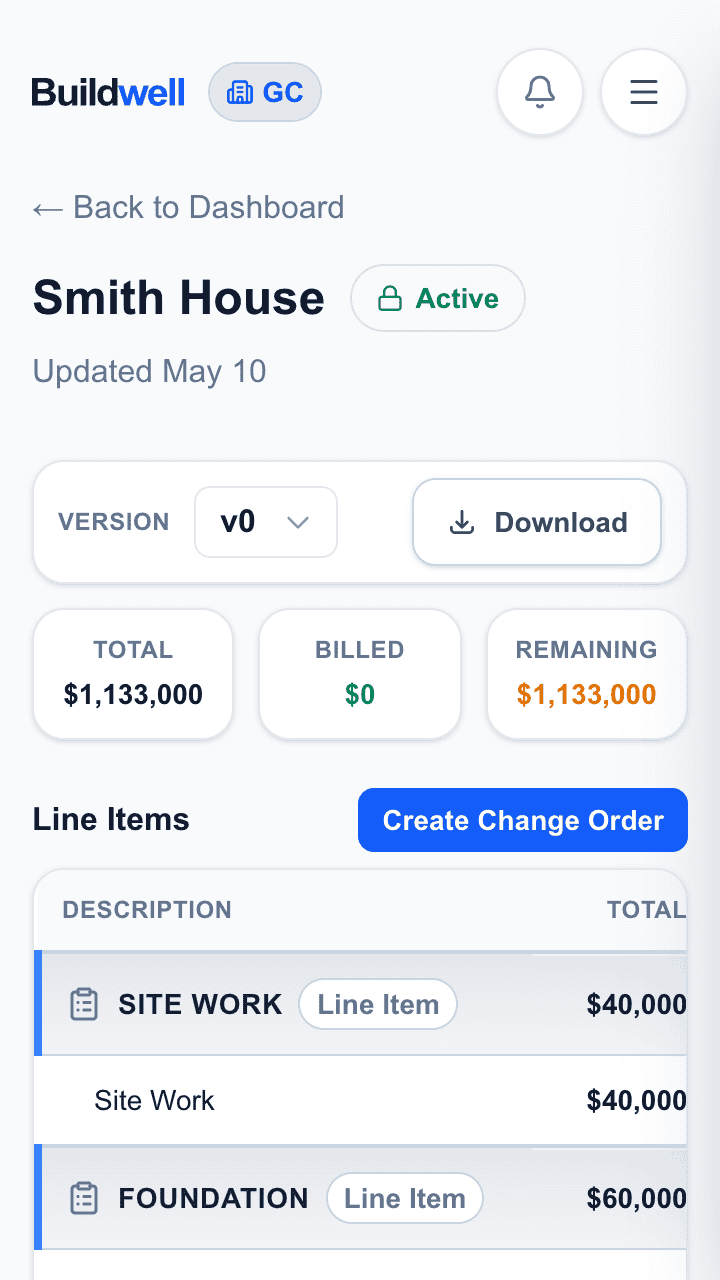
For GCs: more control around each line item.
GCs need more than a flat list of changes. Buildwell's GC workflow keeps key actions and documents tied to specific budget lines, so the project record stays easy to explain.
GC-only capabilities
- Full budget spreadsheet
- Documents attached to each line item
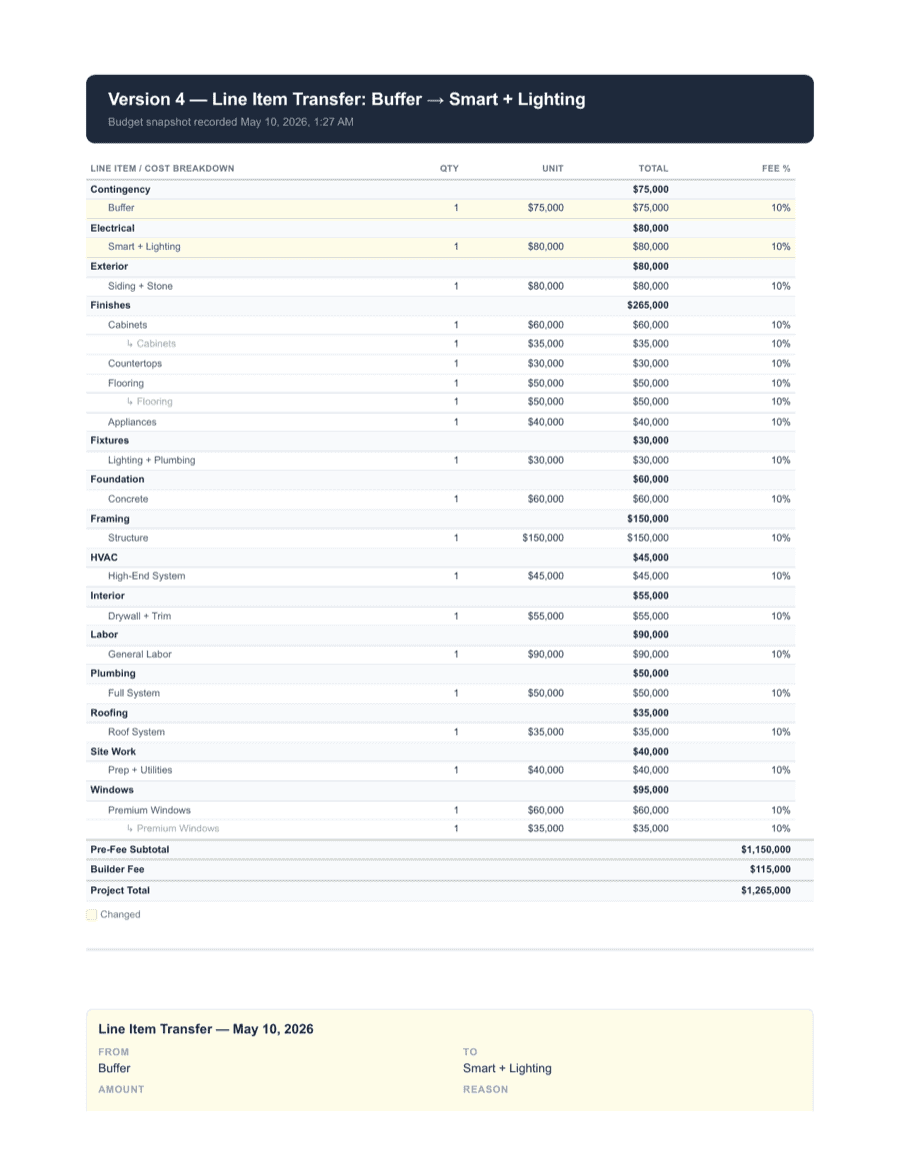
- Line item transfers
- Bid request links for specific line items while the project is in draft
- Accepted bid requests connected back to the relevant line item
- Change-order request links for specific line items while the project is active
- Accepted CO requests connected back to the relevant line item
- Billing amounts drafted from relevant line items
- Bank/loan visibility
Project in draft
While the project is still in draft, request bids for specific line items and accept the response back into the relevant part of the project record.
Project active
Once active, request change-order input for specific line items and accept the response into the active project workflow.
Line-item documents
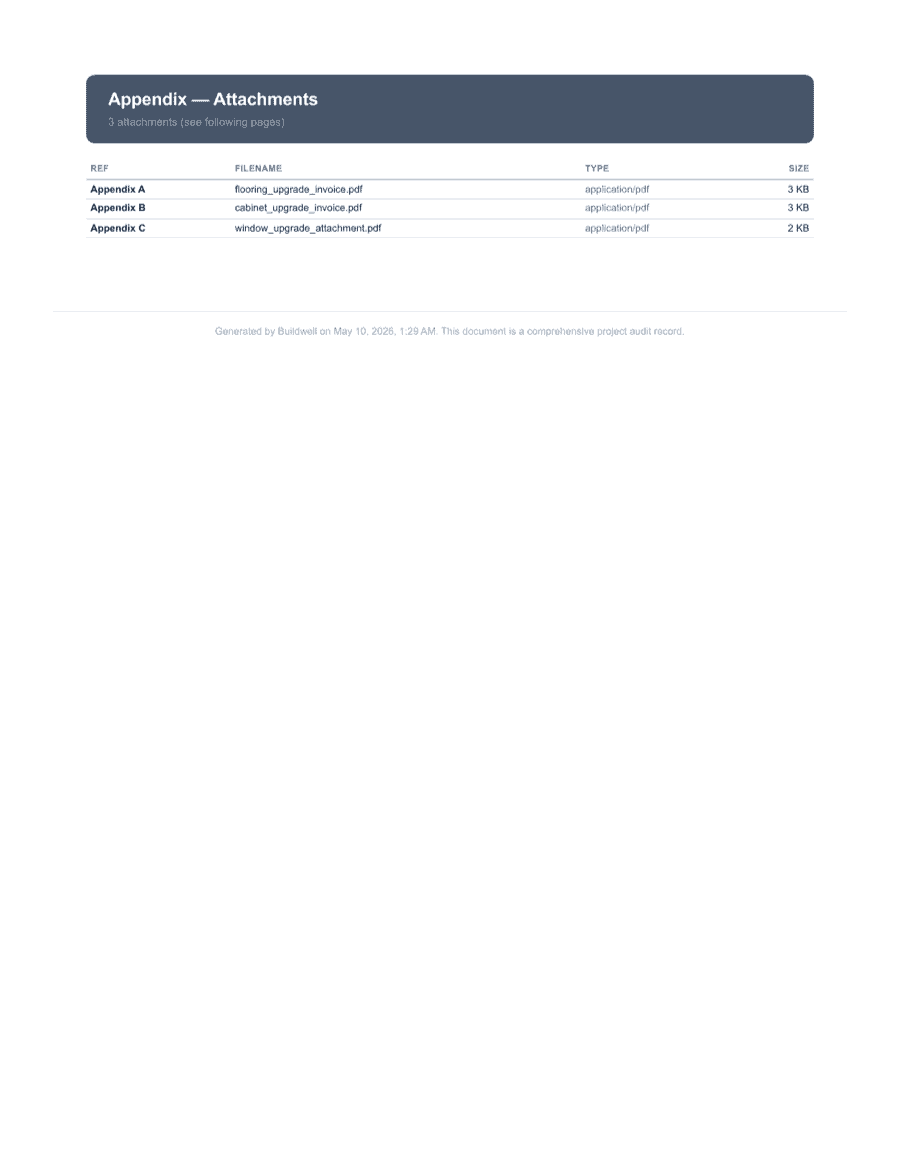
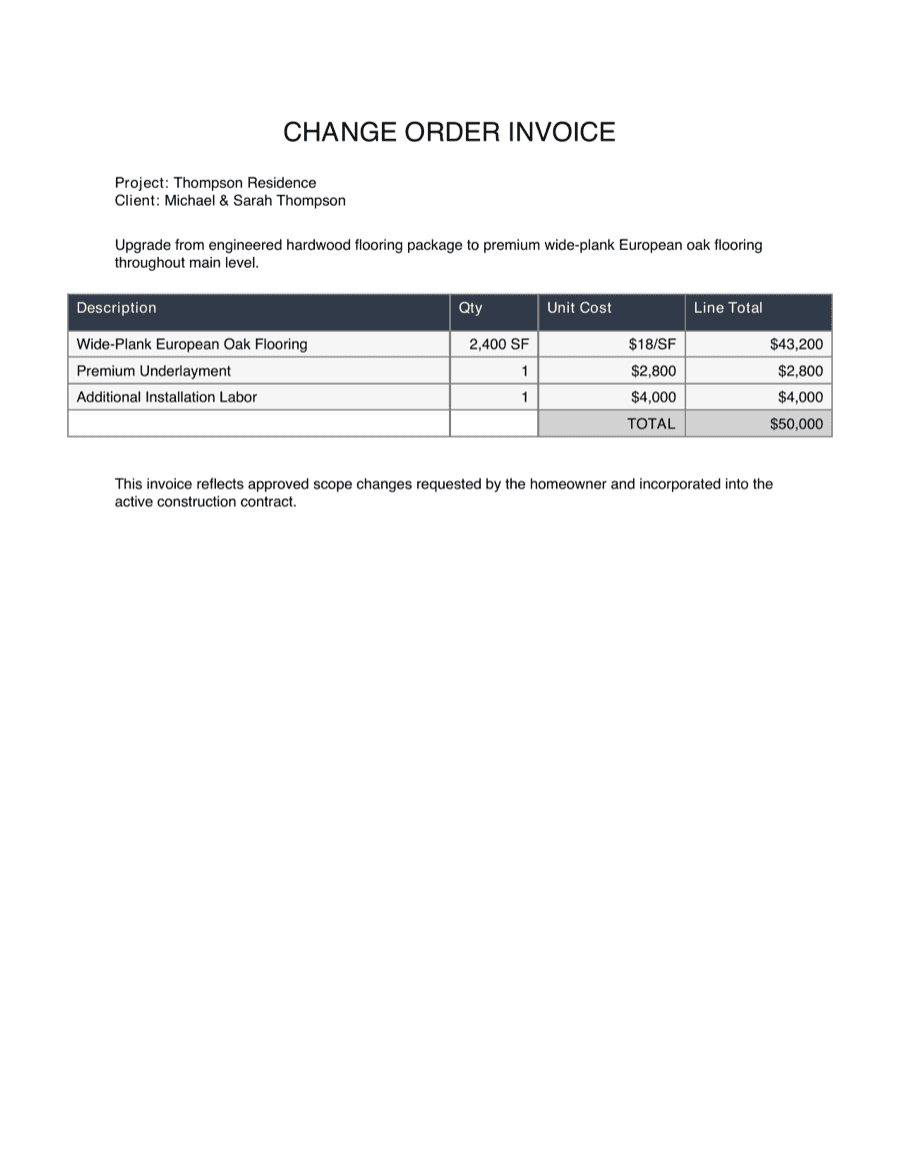
Each line item carries documents — scopes, estimates, drawings, receipts, photos, PDFs — that explain what belongs in that budget line.
The full proof trail in one export.
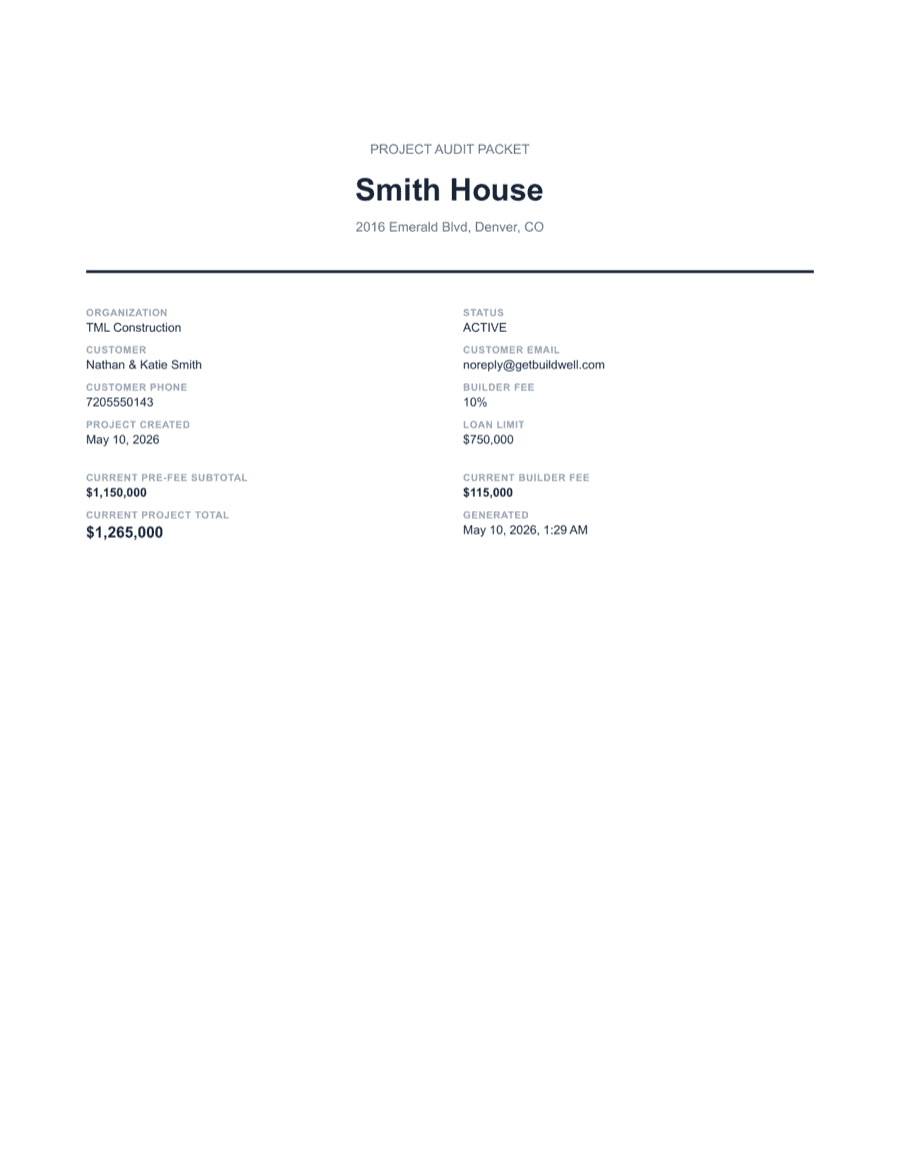
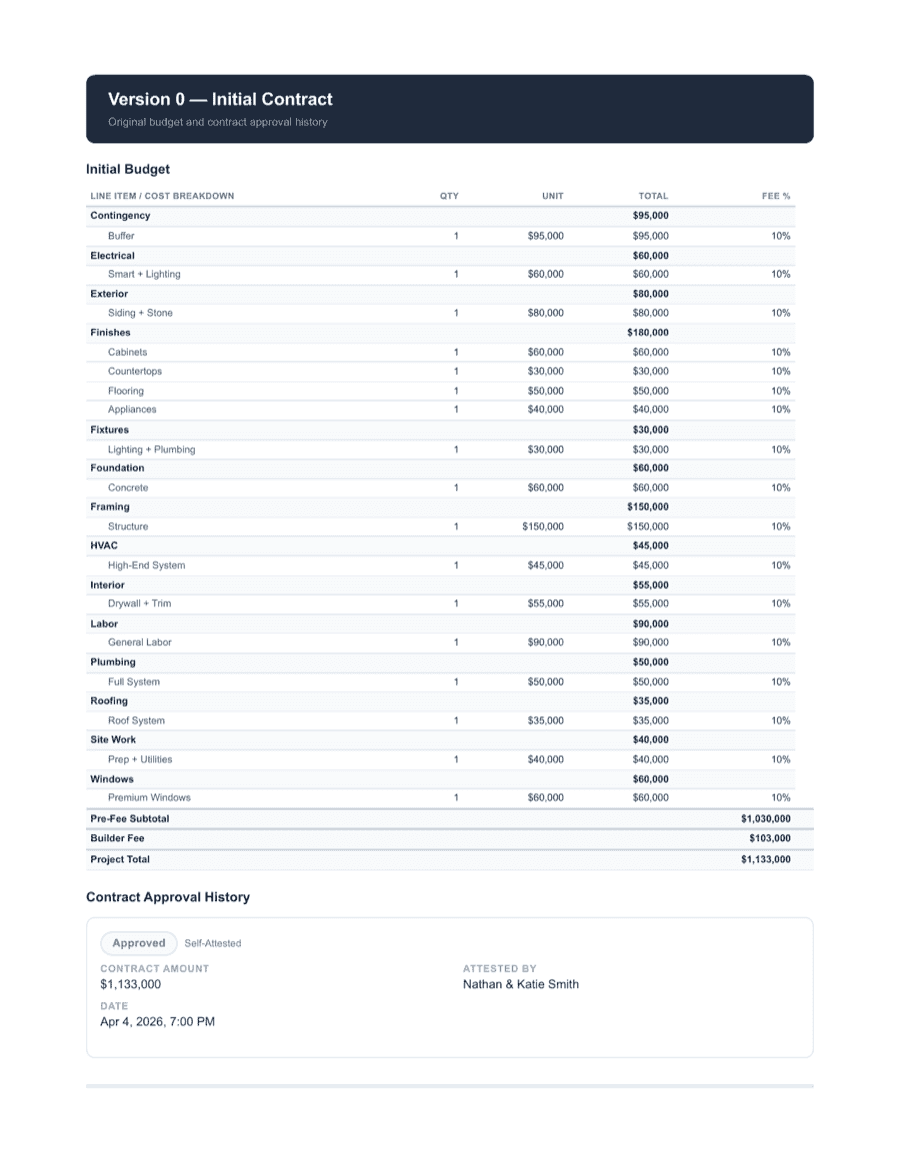
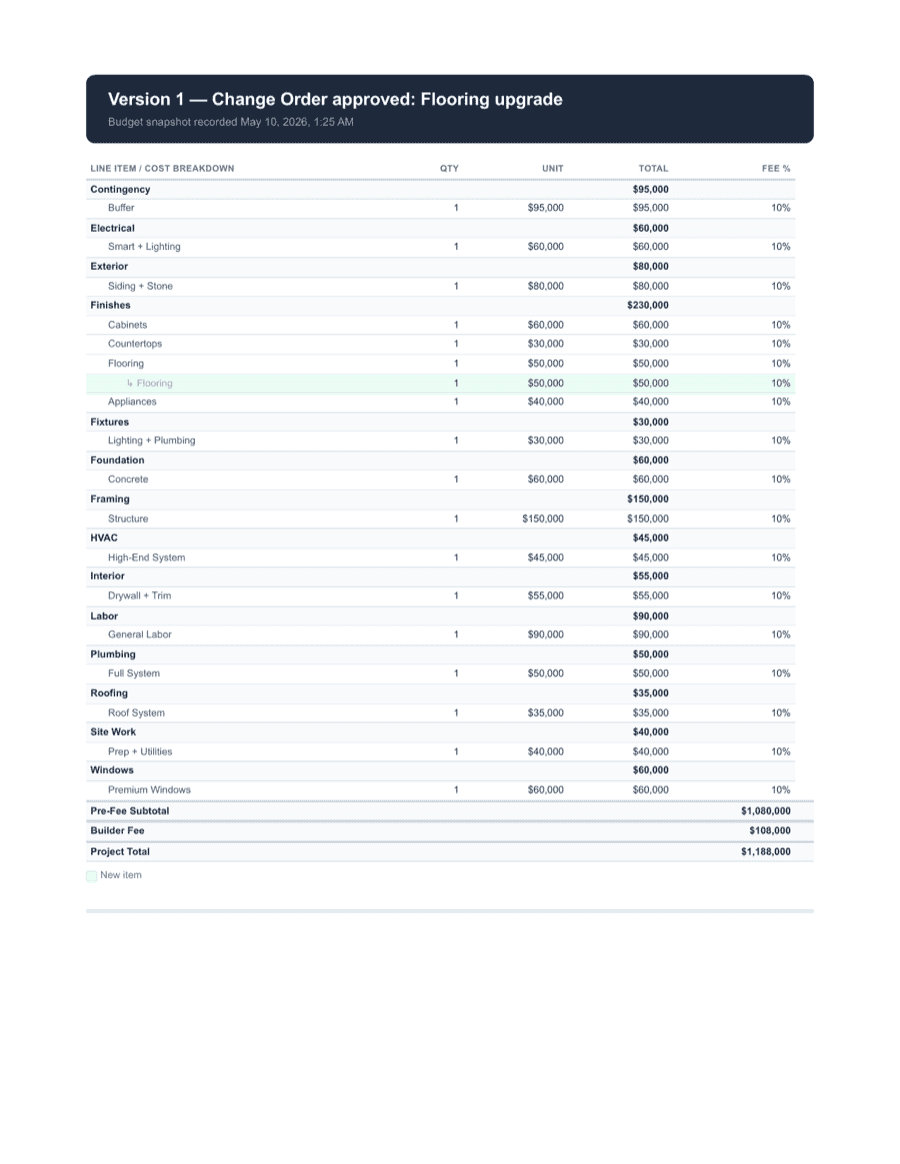
An audit packet is the record you want when someone asks what happened. Budget context, change details, supporting files, approvals, signatures, T&M, billing context, and timeline — in one PDF.
Packet contents
- Project summary
- Original budget line
- Line-item documents
- Change order details
- Customer signature
- Attached receipt or photo
- T&M log
- Billing summary
- Approval timeline
- Export metadata




FAQ
Does Buildwell replace QuickBooks, Stripe, or my bank?
No. Buildwell isn't payment capture, and it doesn't replace your accounting or banking workflow. It organizes what should be billed and why; payment happens off platform.
Why not fully white-label the product?
Full white-labeling muddles who operates the software, which makes customer trust harder to earn. Buildwell feels branded to the GC where it matters for the customer, while staying clear that Buildwell is the workflow underneath.