
Capture the details that matter later.
A good change record should be clear enough to understand weeks or months later. Buildwell is designed to keep the important pieces together.
- Change title and description
- Reason for the change
- Cost impact
- Schedule note, if applicable
- Budget line or project context
- Attachments such as photos, receipts, estimates, drawings, or PDFs
- Customer approval status
- Customer signature
- Approval timeline
A customer approval flow they'll actually complete.
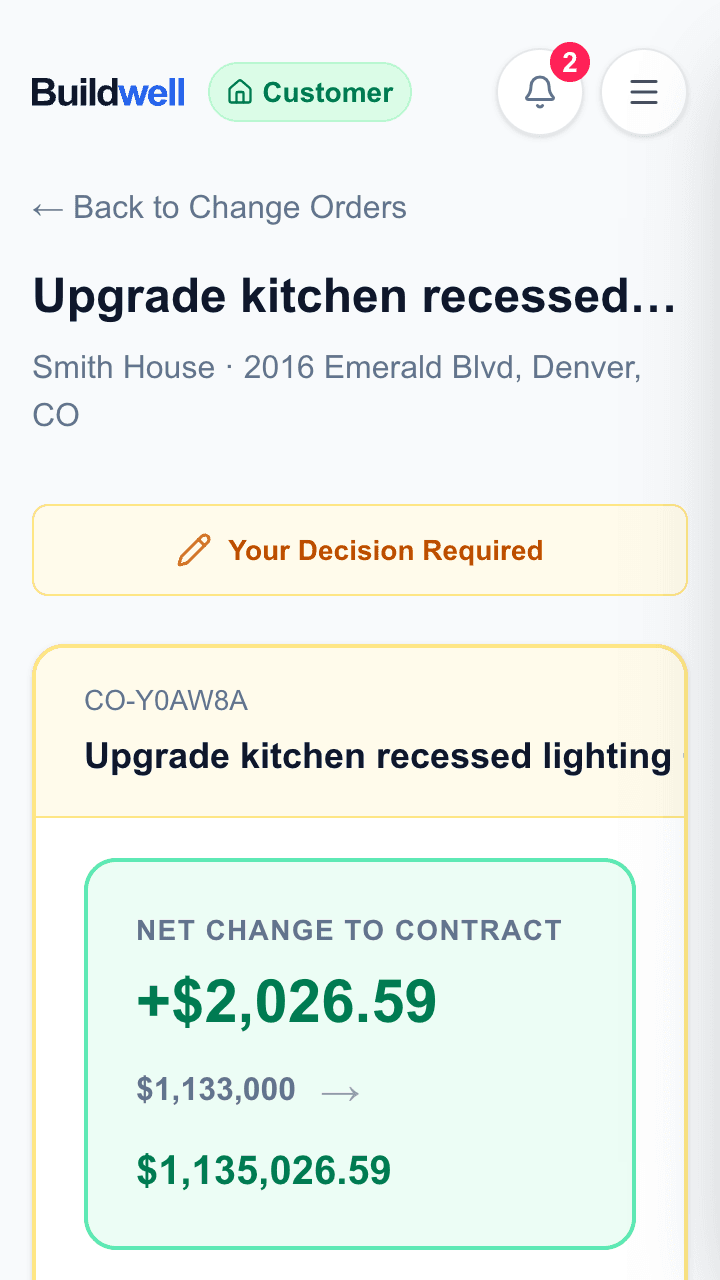
Customers don't need another account just to approve a change. They open the link, review the details, and sign from the same view.
- No app download
- No account required for one-tap approval actions
- Clear cost and reason
- Contractor-branded page
- Signature captured in the change record
Keep the backup with the change.
Photos, receipts, PDFs, drawings, estimates, and line-item documents are most useful when they stay attached to the change they support. Buildwell keeps supporting documents connected to the approval record instead of scattered across texts and inboxes.
Common use cases
- Owner upgrade
- Hidden condition
- Allowance overage
- T&M extra
- Scope clarification
- Supporting documentation request
Send your first real change order in minutes.
Start a free trial, create a project, and send a customer-facing approval link with the full backup attached.