1
Step 1
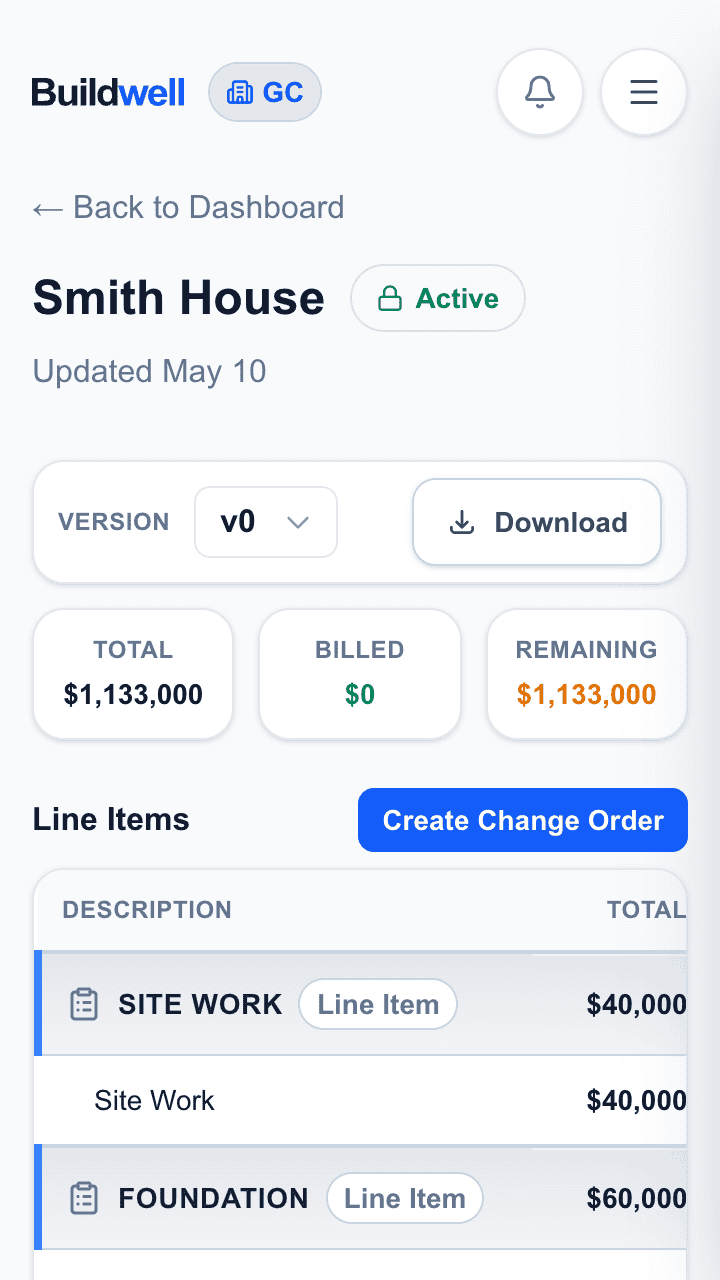
Start with the project budget.
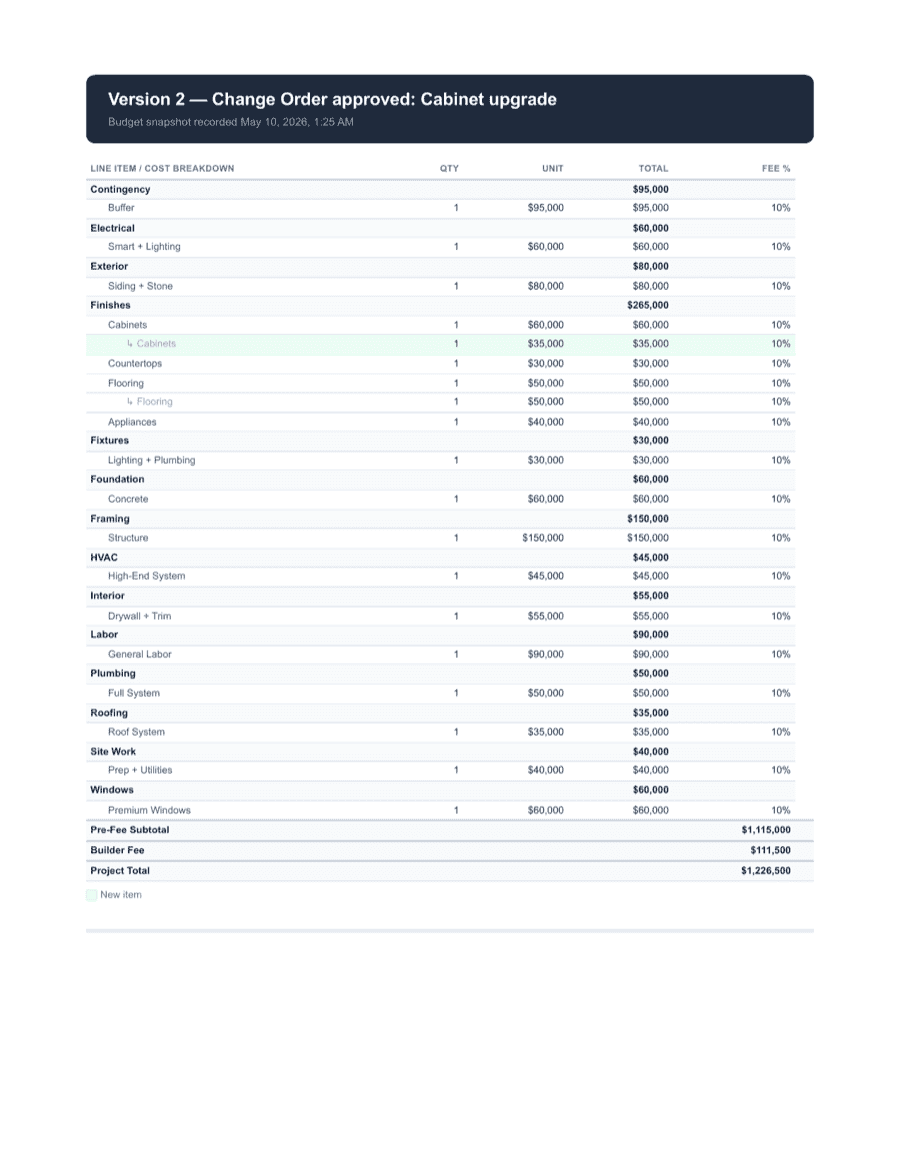
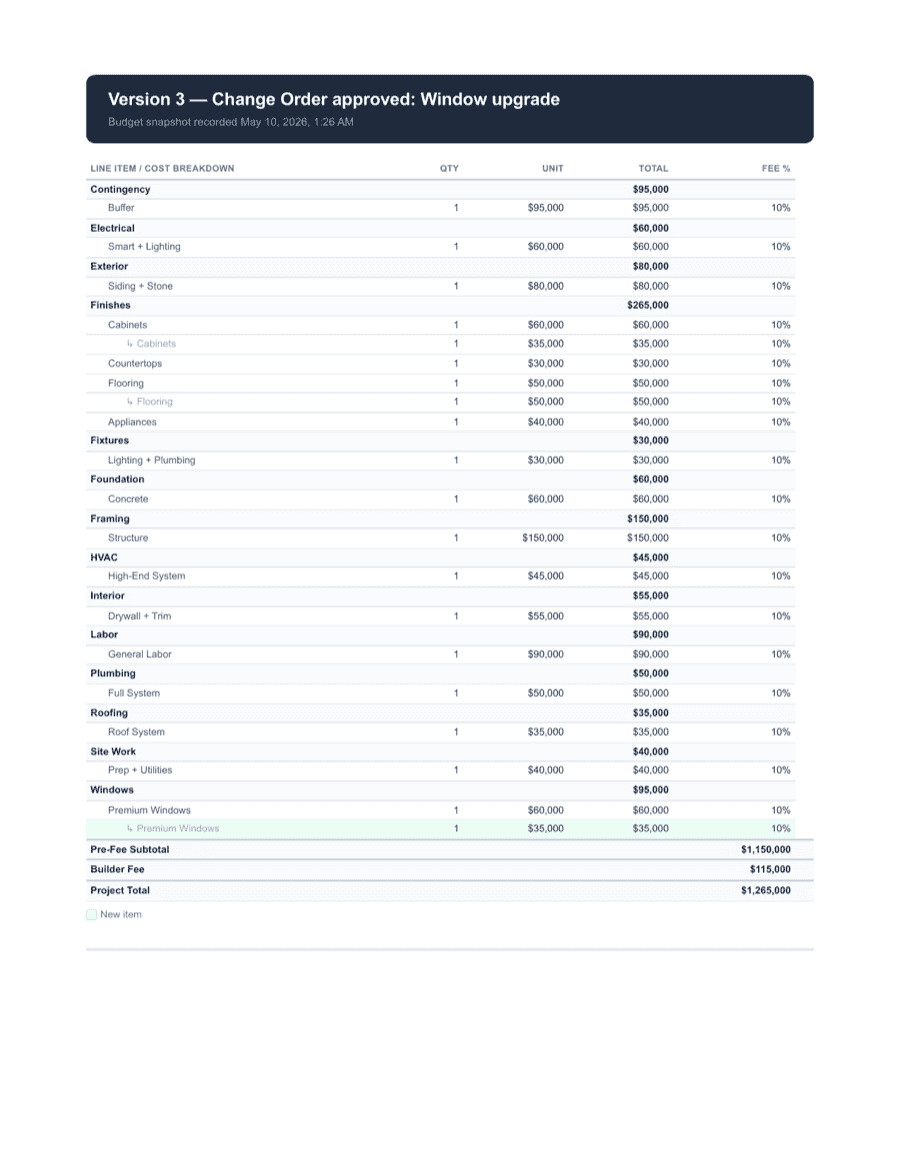
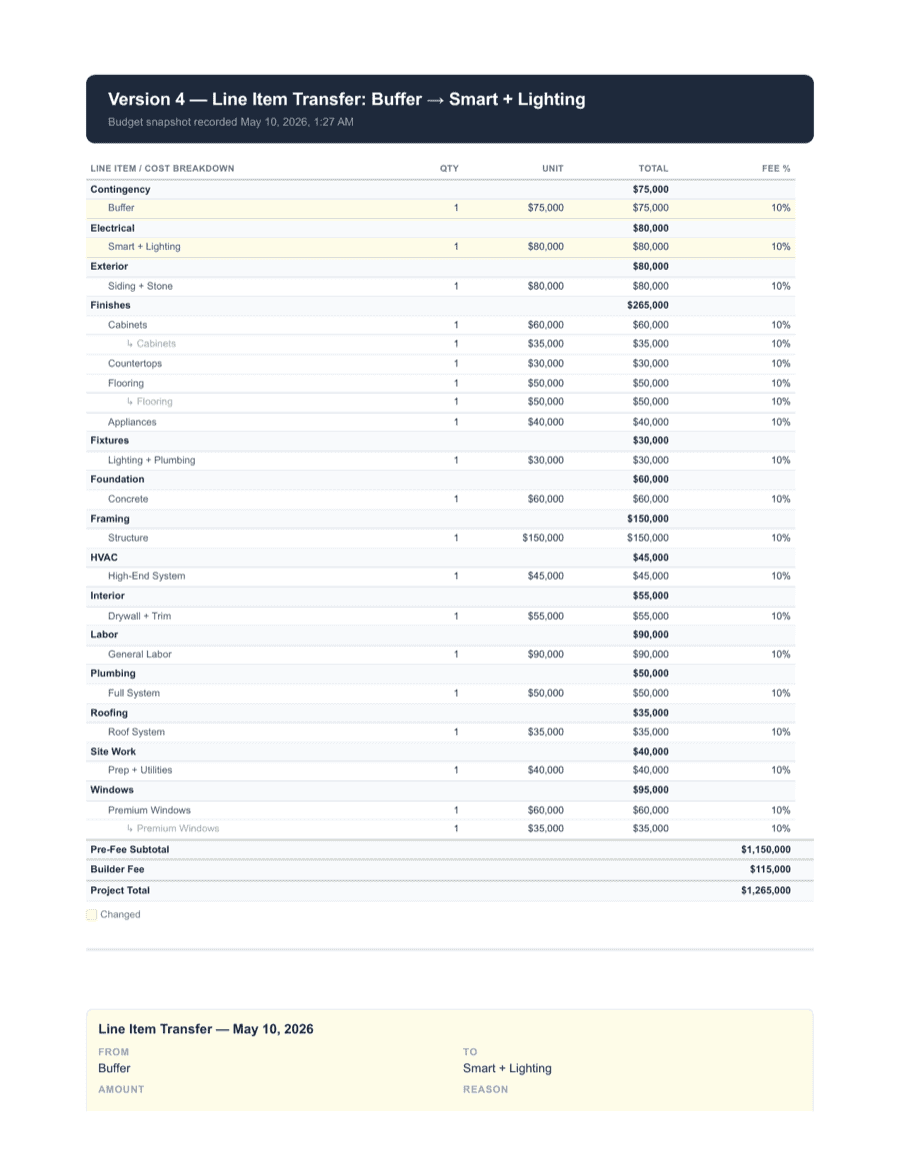
Every change starts inside the job record — your original budget, the line items it touches, and the contract context.

Change orders, T&M, billings, budgets, and audit packets
Document the change. Send the approval link. Capture the signature. Bill cleanly from the same record. Buildwell pulls scope changes, T&M, receipts, approvals, and billings into one money trail your team will actually use.
No sales call. No onboarding. Spin up a project, send a real approval link, and have it signed before lunch.
No credit card required.
Estimate how much cleaner change documentation could protect across a year of jobs.
This is an estimate, not a guarantee. The point is simple: even a few disputed, under-documented, or under-billed changes can cost more than the software.
From field decision to signed record
Keeping a clean record protects everyone — the GC, the contractor, and the customer. Buildwell holds the scope, reason, cost, attachments, approval, signature, and related billing together so the project stays transparent end-to-end.
Step 1
Every change starts inside the job record — your original budget, the line items it touches, and the contract context.
Step 2
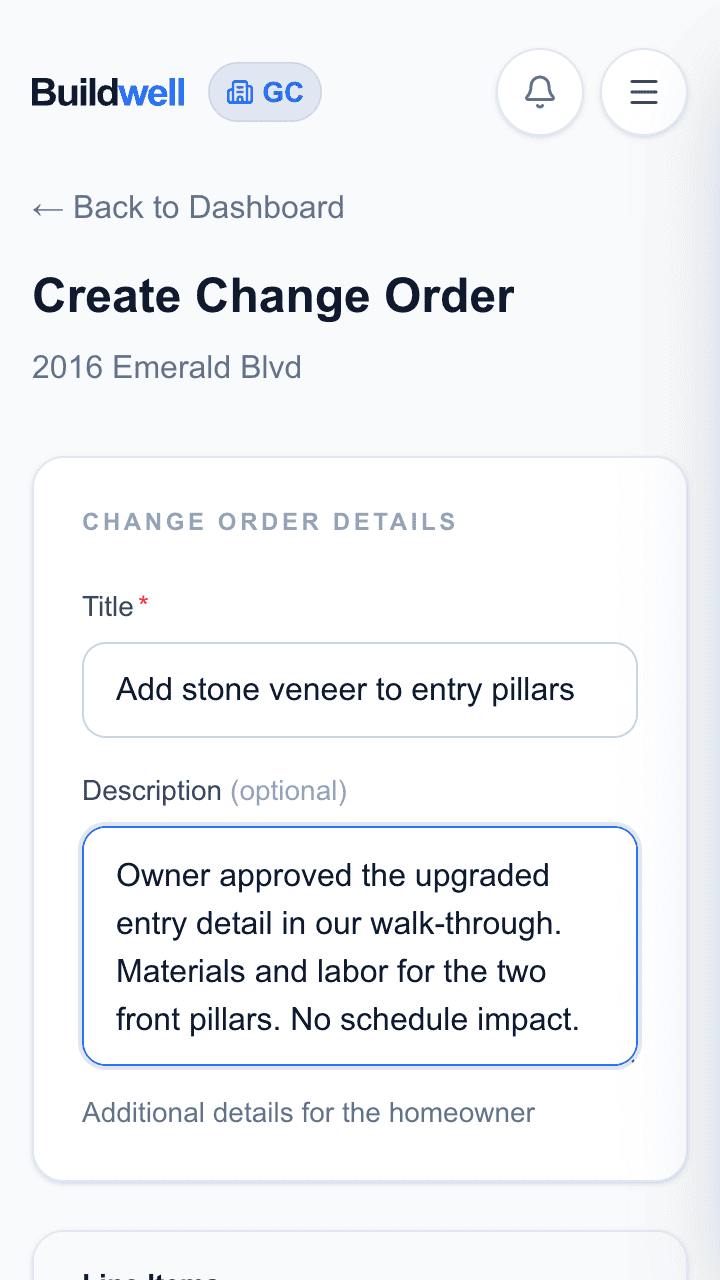
Title, description, line items affected, cost impact — captured while it's still fresh, not reconstructed weeks later.
Step 3
Secure, no-login links — the customer just taps and opens. The change order record stays open on your side, marked Awaiting Customer Response.
Step 4
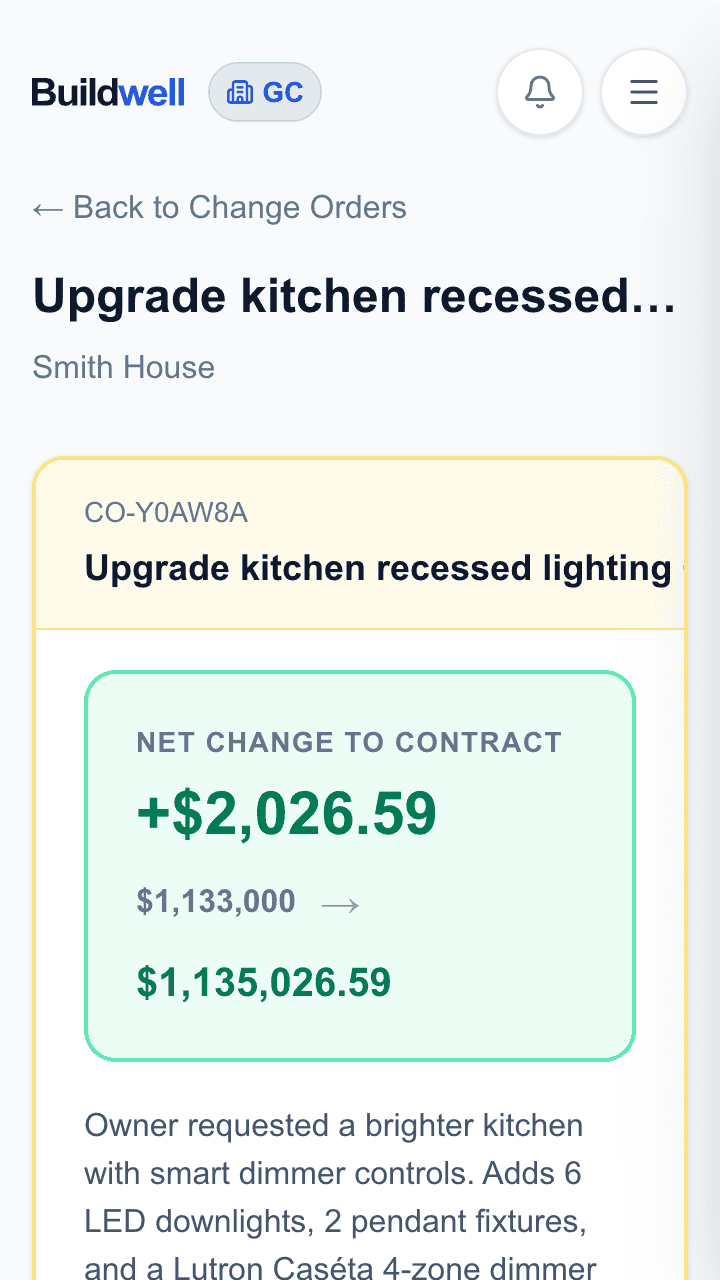
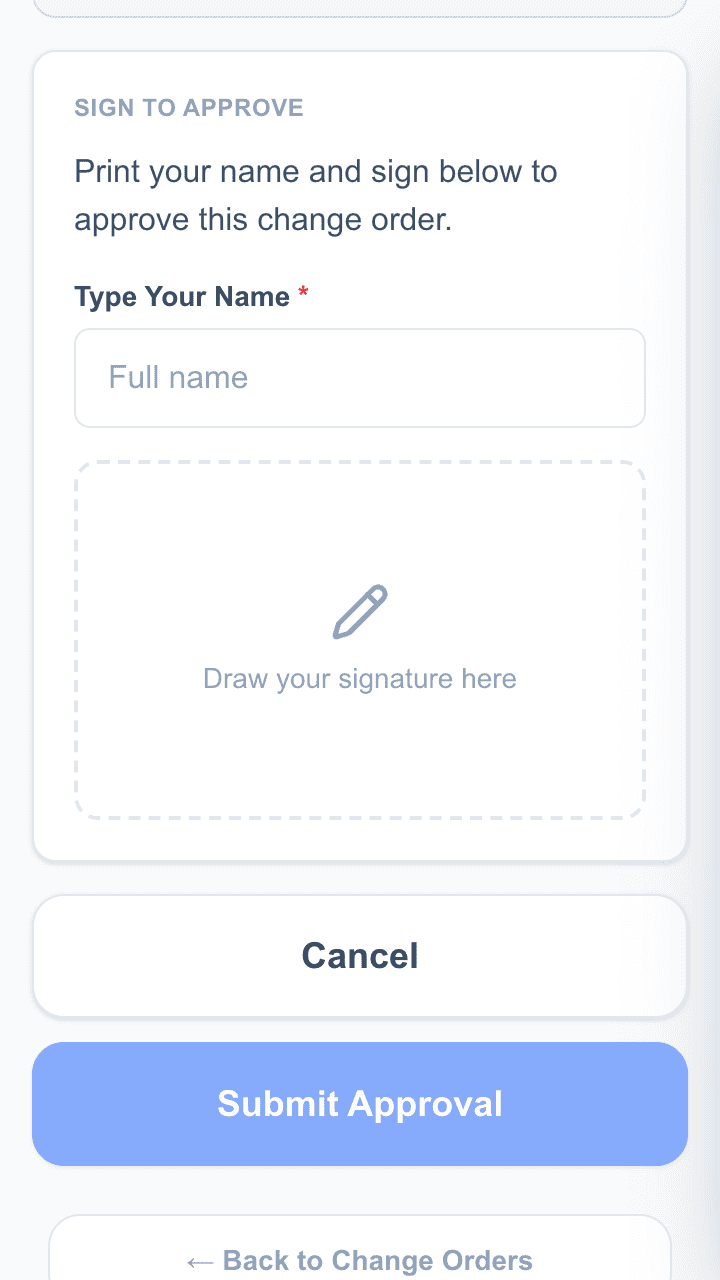
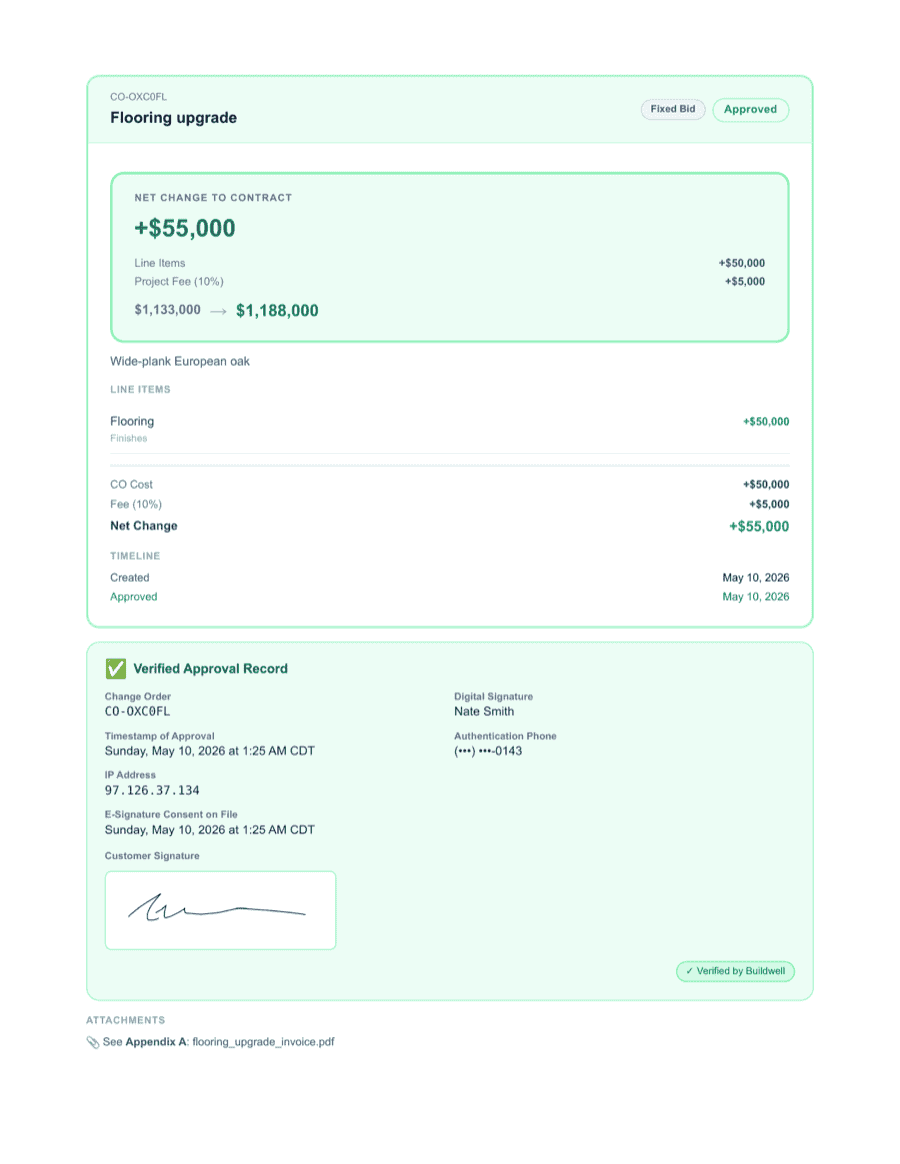
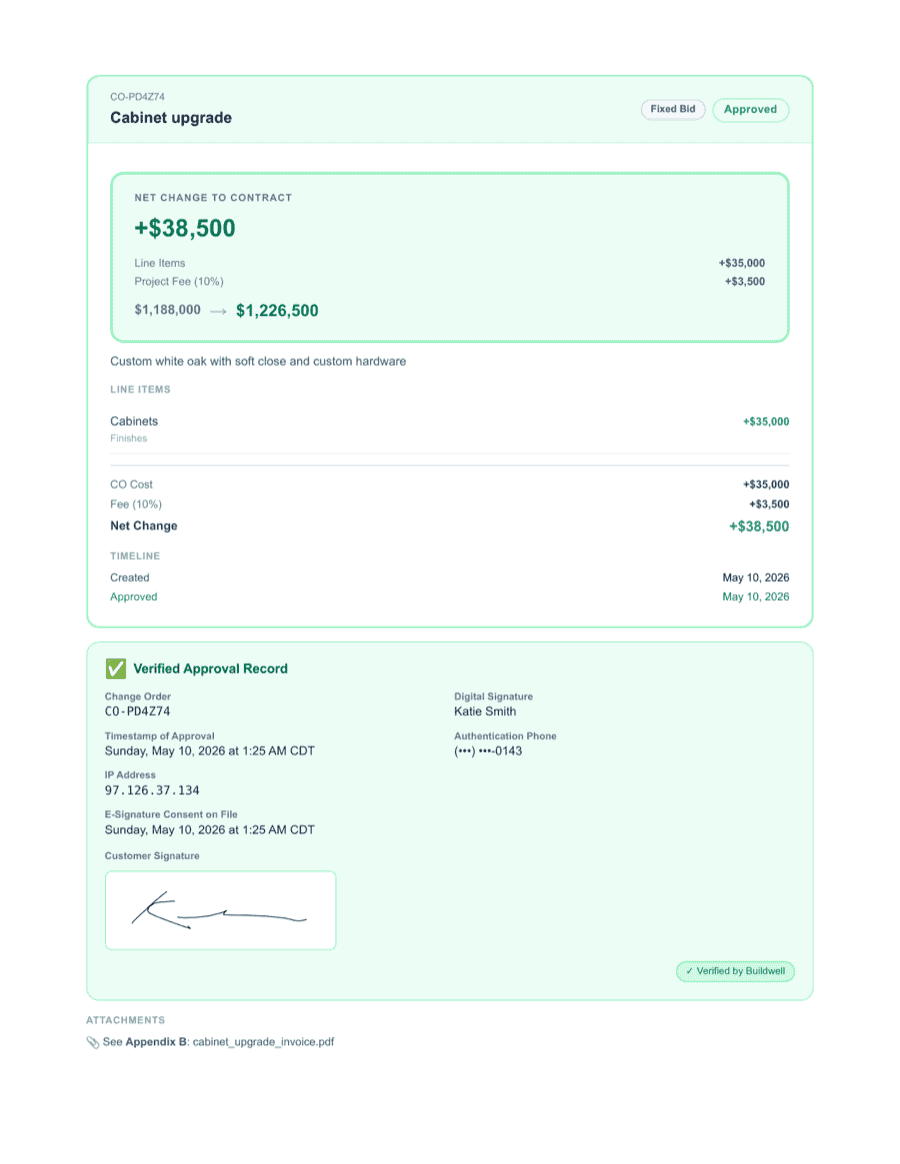
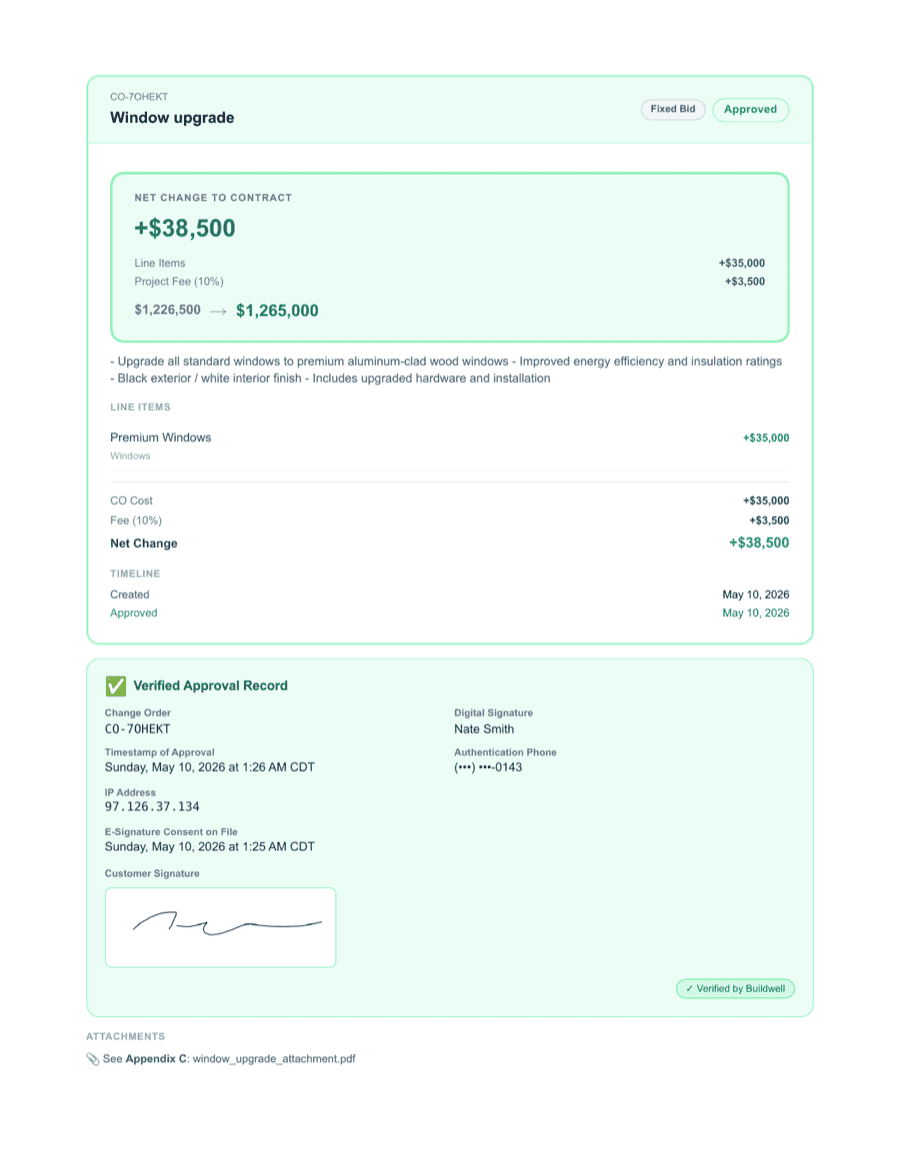
From the customer's own view: net change to contract, what changed, why, what it costs. Print name, draw a signature, hit Submit Approval — all on the same page.
Step 5
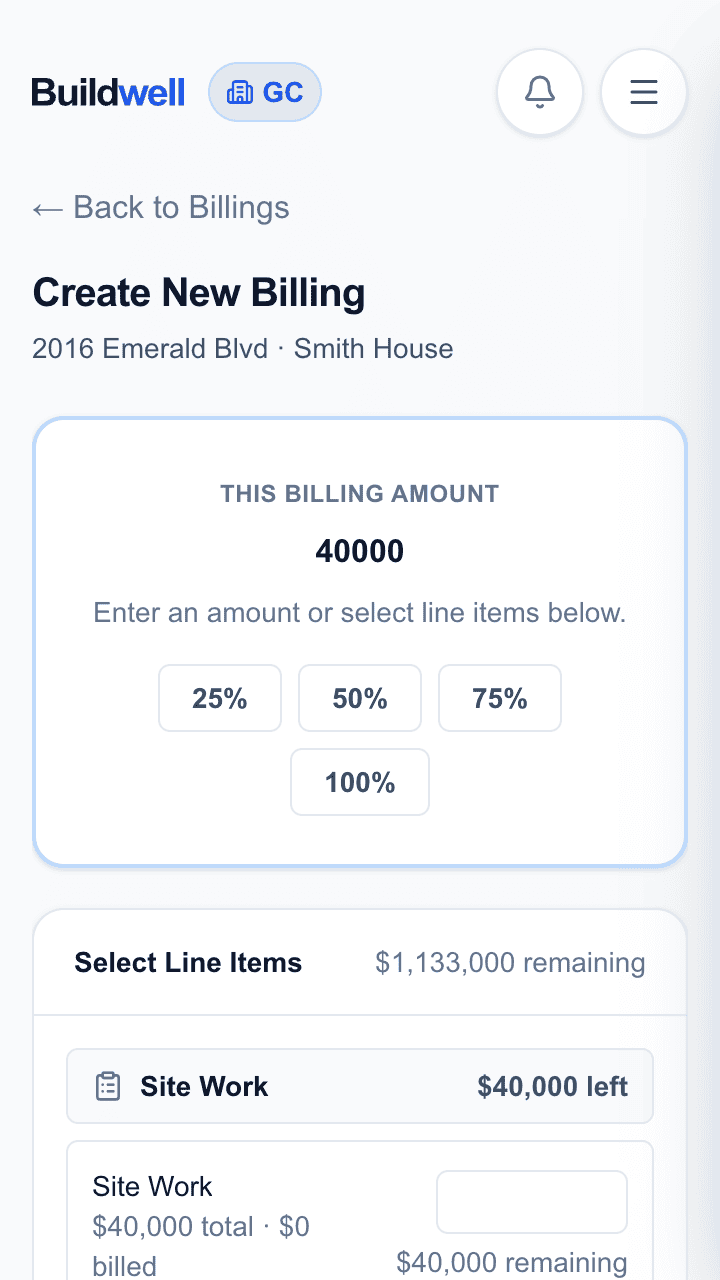
Pull amounts from the relevant line items, share the billing with the customer for visibility, and manage Draft, Pending, and Complete yourself. Payment stays off platform.
Step 6
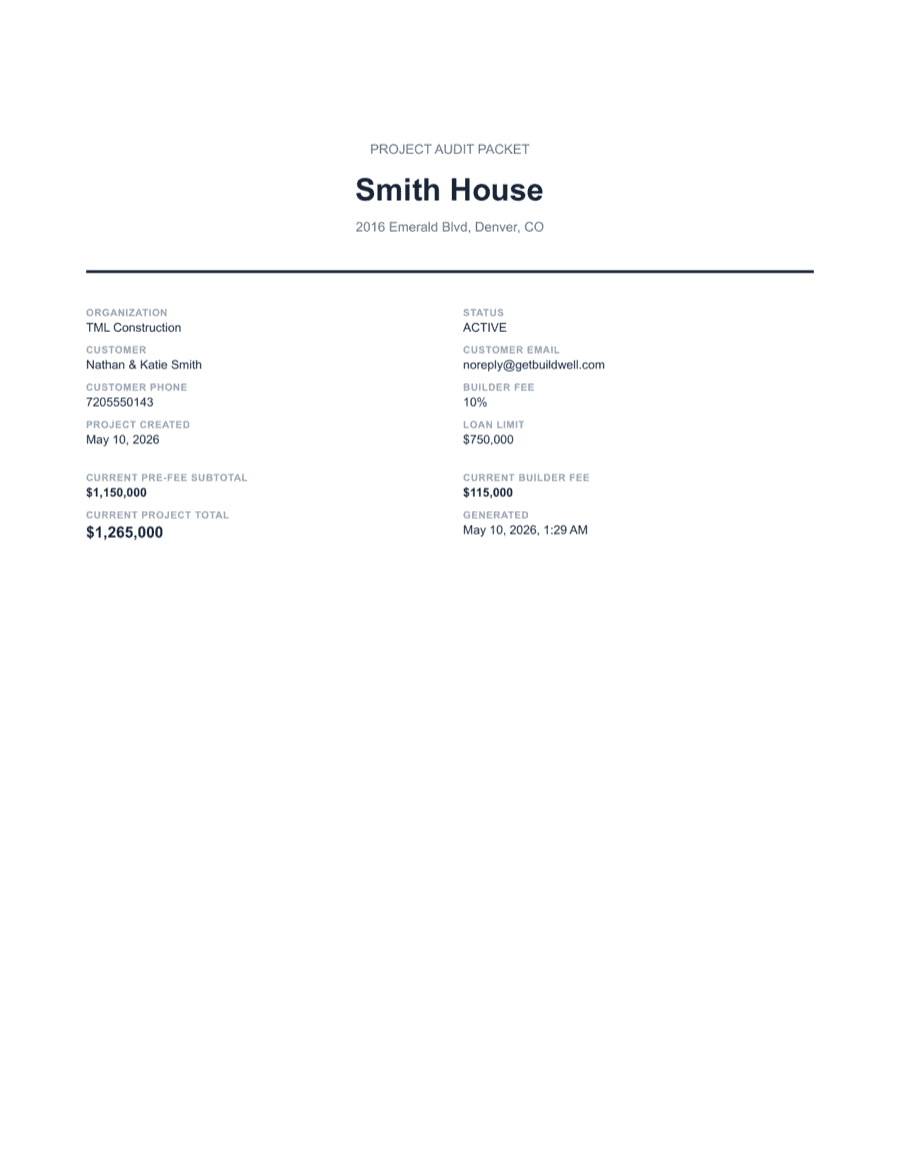
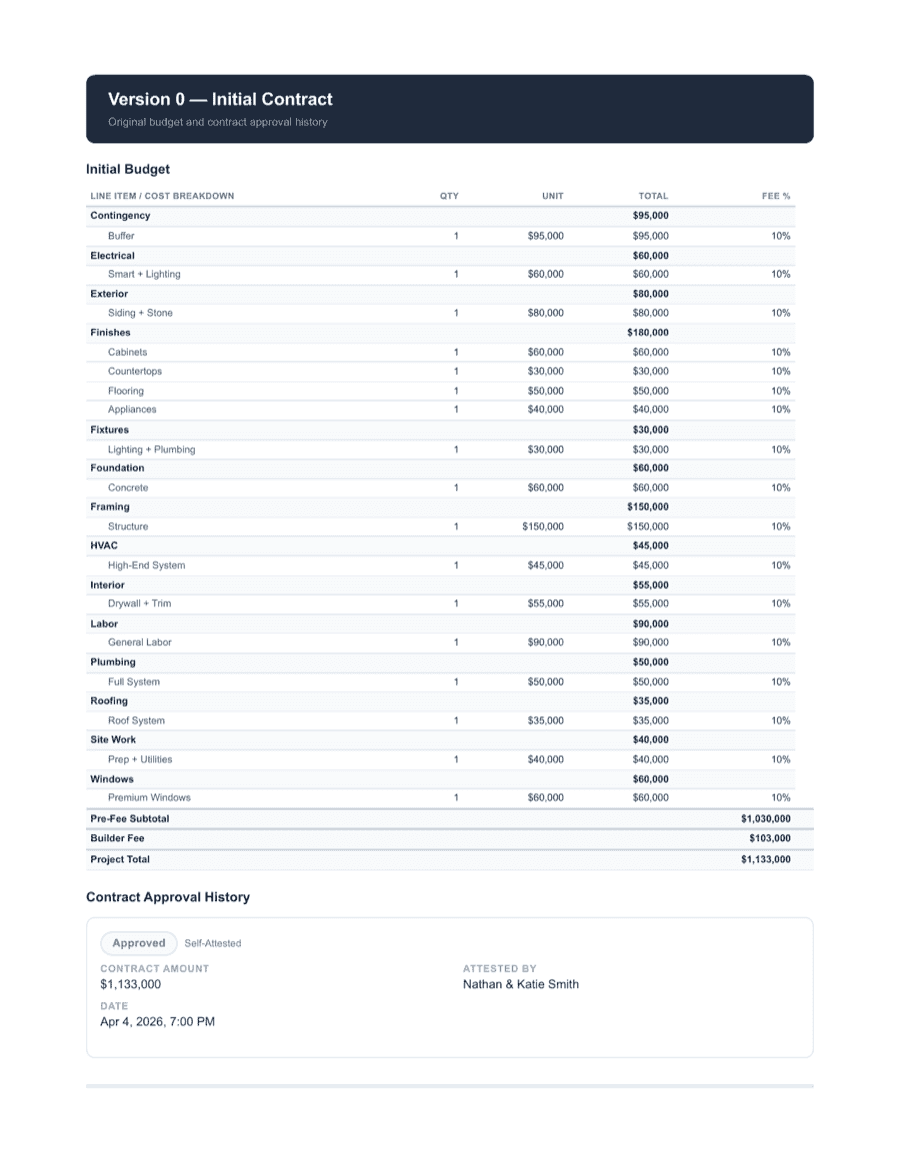
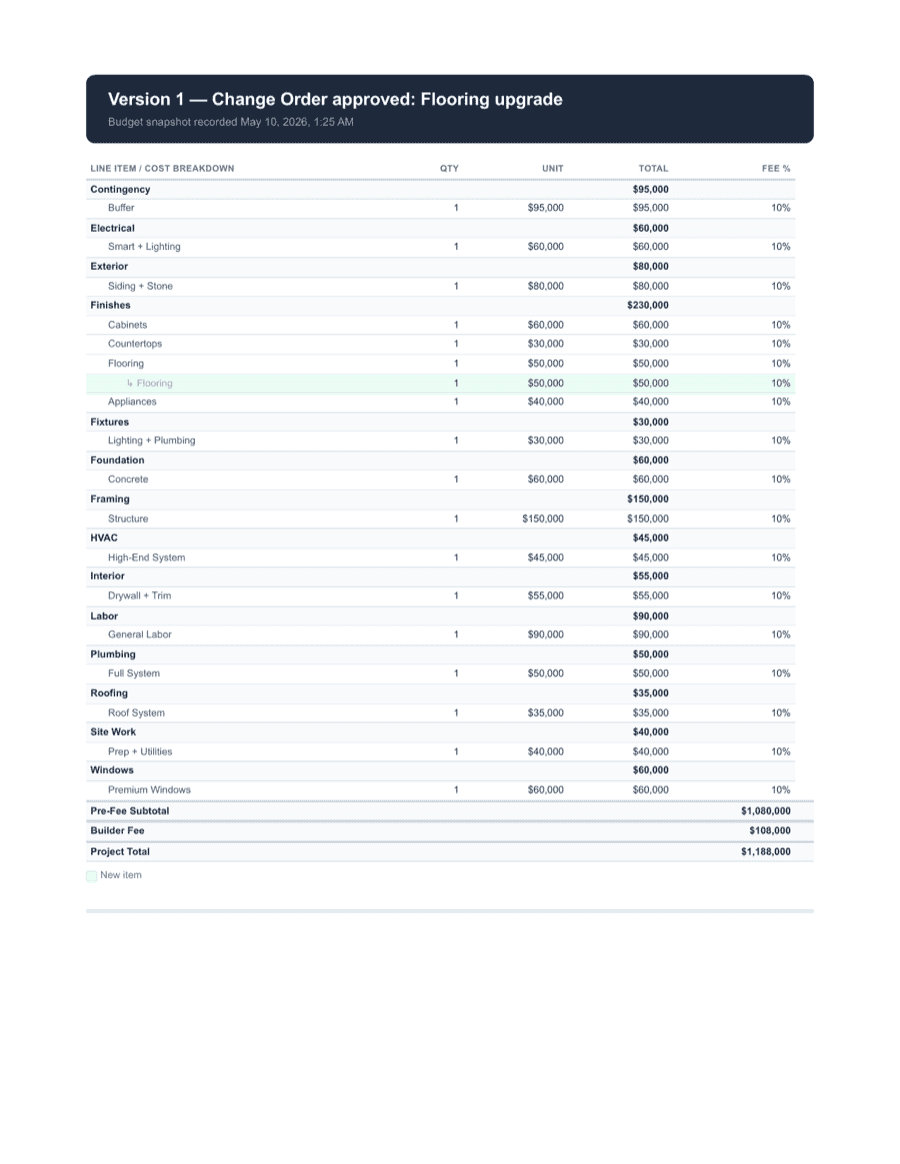
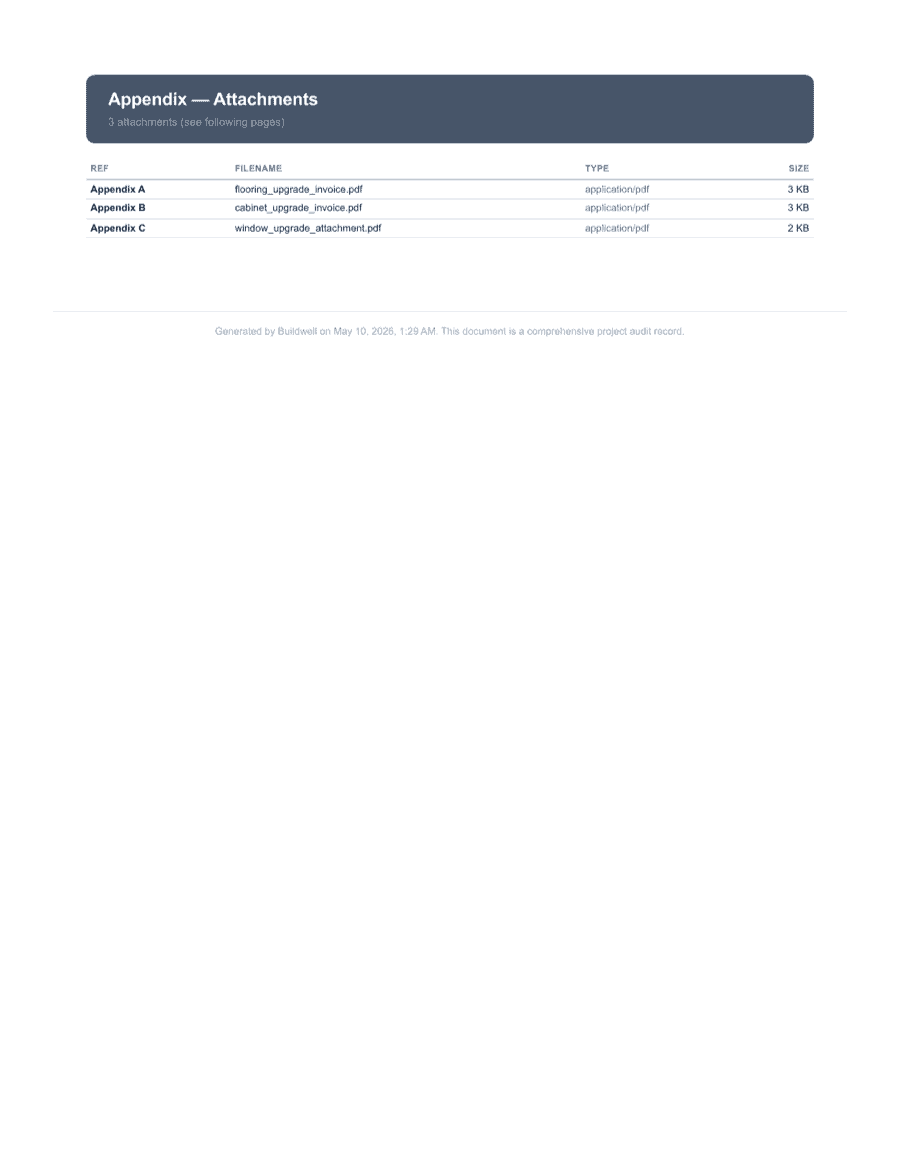
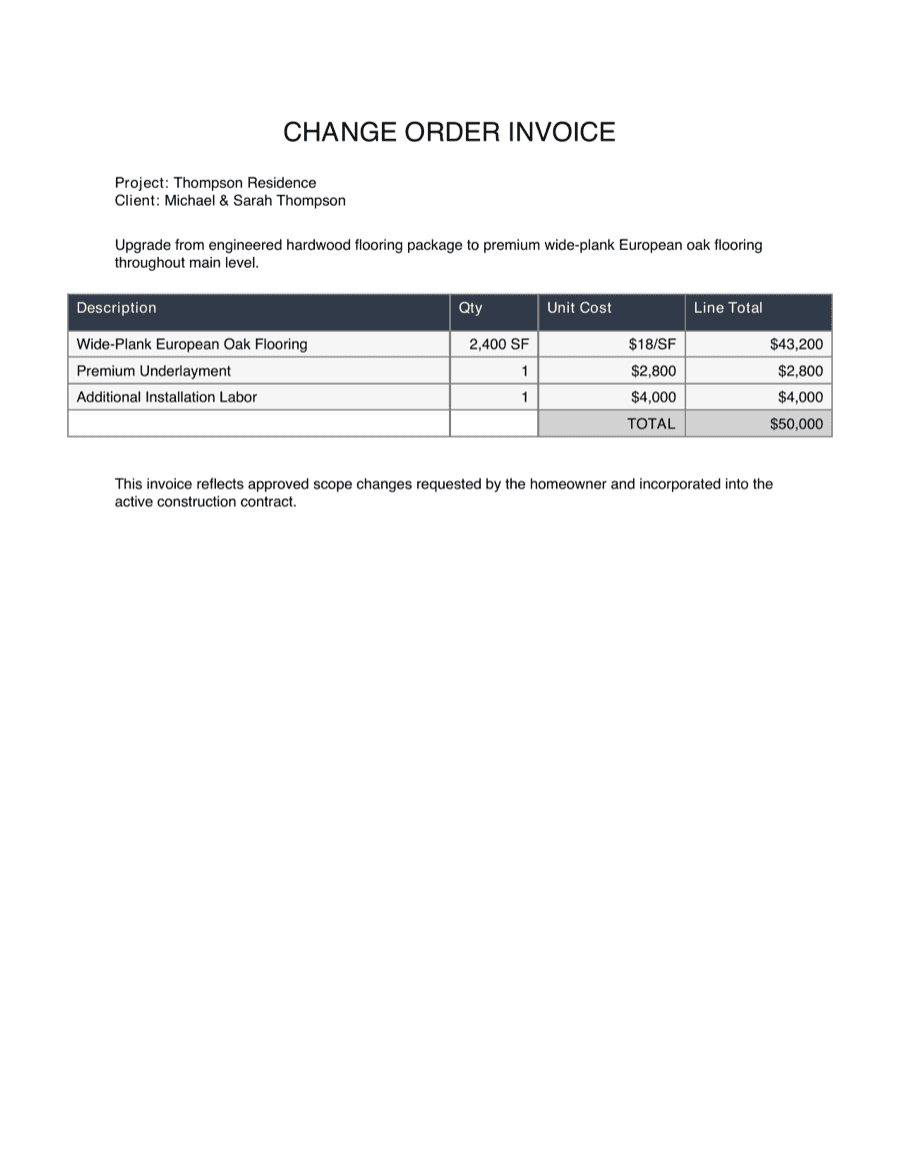
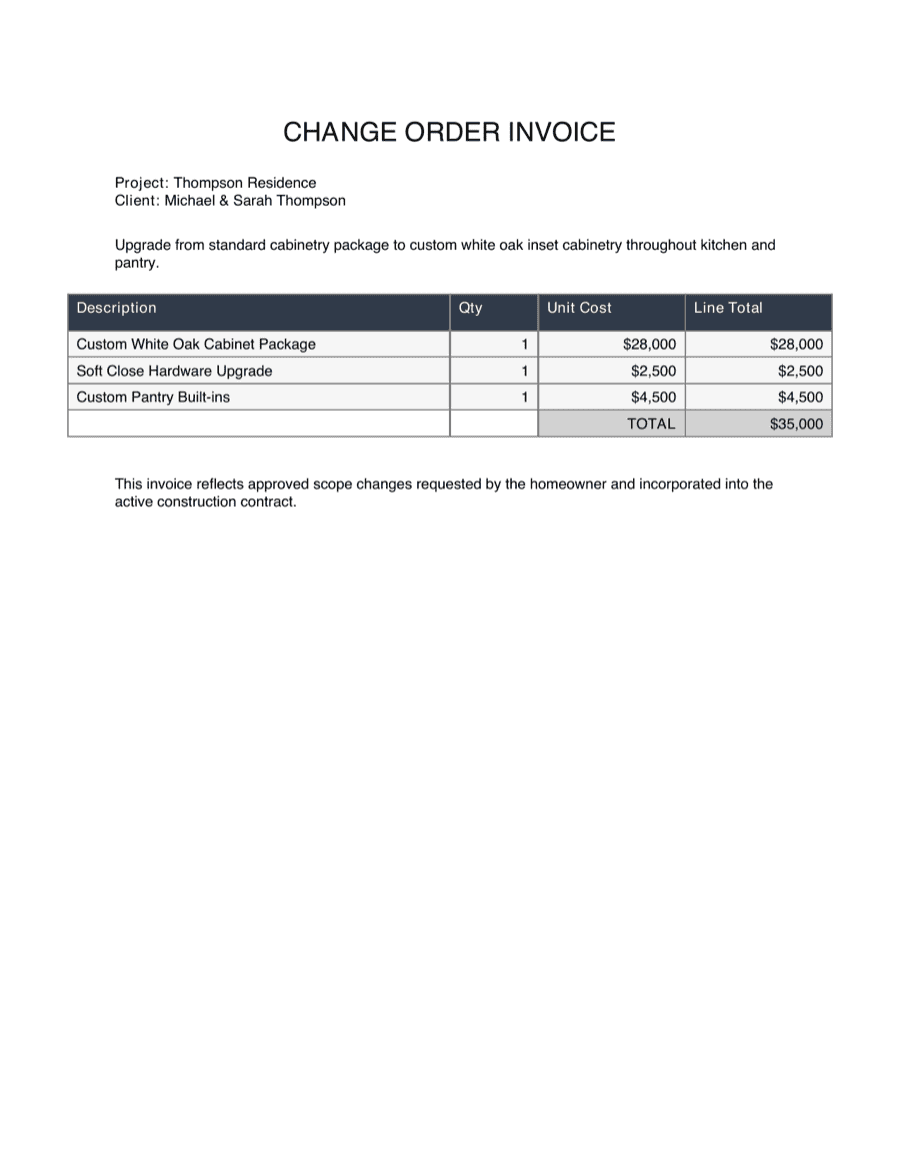
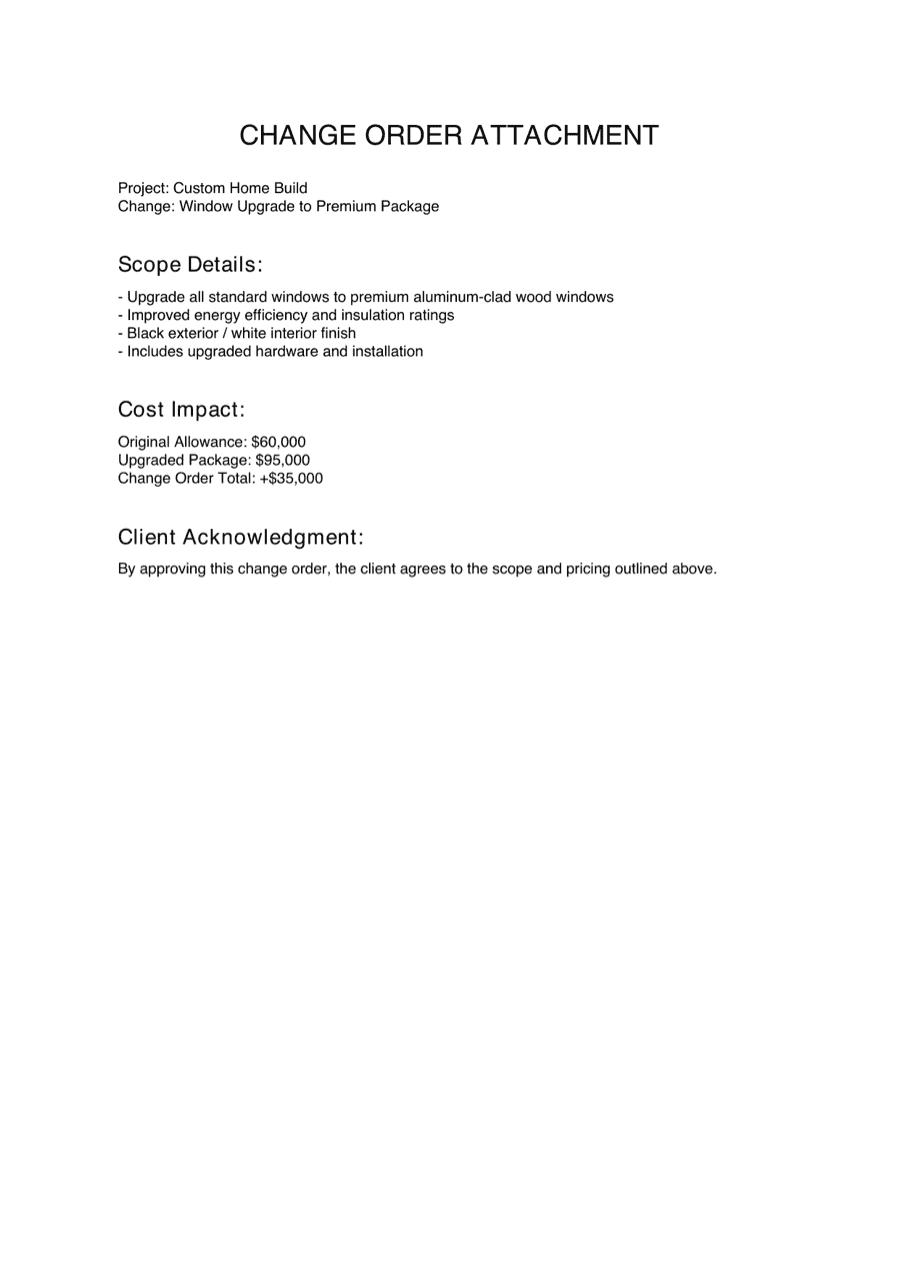
When a customer, lender, or partner asks what happened, hand them one PDF with the full proof trail.



Step 1
Every change starts inside the job record — your original budget, the line items it touches, and the contract context.
Step 2
Title, description, line items affected, cost impact — captured while it's still fresh, not reconstructed weeks later.
Step 3
Secure, no-login links — the customer just taps and opens. The change order record stays open on your side, marked Awaiting Customer Response.
Step 4
From the customer's own view: net change to contract, what changed, why, what it costs. Print name, draw a signature, hit Submit Approval — all on the same page.
Step 5
Pull amounts from the relevant line items, share the billing with the customer for visibility, and manage Draft, Pending, and Complete yourself. Payment stays off platform.
Step 6
When a customer, lender, or partner asks what happened, hand them one PDF with the full proof trail.
One money trail, fewer loose ends
Buildwell isn't trying to replace every tool on the job — it owns the records that protect the money trail. The budget, the change, the approval, the receipts, the billing, the proof. All in one place.
Turn scope changes into customer-facing approvals with description, reason, cost, attachments, and signature in one place.
Track labor, materials, notes, and receipts as work happens, then keep those entries tied to the project record.
Draft how much is billed from each line item for the next billing. Share it with the customer, manage Draft/Pending/Complete status, and handle payment off platform.
Add your logo and choose the main contract/customer card color, while Buildwell remains visible in the product navigation and supporting UI.
For General Contractors, line items can carry documents, support transfers, accept bid requests while the project is in draft, and accept CO requests while the project is active.
Export a clean record with budget context, line items, approvals, signatures, receipts, T&M logs, billings, and timeline events.
The record you wish you had later
When a change gets questioned six months from now, you don't want to dig through texts, inboxes, receipts, and spreadsheet versions. Buildwell keeps the record together from the first day.
Anchors the change to the actual dollars it shifted.
Scope, drawings, estimates, and backup live with the line item.
Description, reason, cost, and schedule note in one record.
Captured from the same approval link they reviewed.
Evidence stays attached to the change, not lost in a thread.
Labor, materials, and notes from the day the work happened.
Shows how this change moved through a billing.
Created, sent, viewed, signed, included in billing — every step stamped.
Built with contractors, not guessed in a conference room
We work with design partners running Buildwell on real projects who tell us what works, what doesn't, what saves time, and what actually protects money when a change or billing hits.

Design Partner
Bozich Construction
Kenny · Owner / Residential GC
Running Buildwell on real jobs and shaping what ships next.
Want to help shape what Buildwell builds next (and use Buildwell for free)?
We're taking on a small number of GCs and contractors as design partners. We meet with our design partners weekly to collect feedback and ensure their success with Buildwell.
From bid to closeout. Change orders, T&M, billings, customer approvals, and audit packets — one workflow, one place.
Run the whole project from one place. Less time chasing records, more time running jobs.
Document your work and keep the billing conversation cleaner. Use Buildwell on your own jobs or inside a GC's project.
Crystal clear — no app, no account, no friction for simple actions.
No sales demo. No custom setup. 30-day free trial. Cancel anytime, full refund within 60 days.
Contractor
$9/mo
or $86/yr — save 20%
For contractors managing their own projects and customers.
No credit card required
General Contractor
$19/mo
or $182/yr — save 20%
The full platform for running your jobs.
No credit card required
Participant plan
Free, always
Customers and contractors invited to a project get free access to view assignments, log time, submit materials, review billings, sign documents, and interact with everything they need — no account required for one-tap actions.
Invited by a Buildwell user.
Trust is operational
Buildwell is designed to help you organize sensitive project records without making customers create accounts for simple approvals. Your project data stays yours. We do not sell your personal information. Project collaborators only see the project information they are invited to access.
The most common questions, answered up front.
No. Buildwell is founder-led and early. That is intentional. The product is focused, support is direct, and contractor feedback goes straight into the roadmap.
Buildwell is built for residential GCs and contractors who need a simple way to document changes, get approval, track T&M, draft billings, and keep the money trail clear.
No. When a customer needs to approve a change order, review a billing, upload a requested document, or review project information you shared, they can tap a link. No app download or account creation is required for one-tap actions.
No. Buildwell helps you draft, organize, and share what should be billed. Payment happens off platform however the project already works: lender funding, customer payment, split payment, check, ACH, or another process.
A billing is a draft of how much should be billed from each line item for that billing cycle. It gives the customer visibility into what is being billed and keeps the billing record tied to the budget, line items, changes, and supporting documentation.
Those statuses are managed by the GC or contractor. Use Draft while the billing is still being prepared, Pending when it has been shared or is waiting on the project's payment process, and Complete when your team considers that billing finished. Buildwell does not automatically collect payment or mark funds as received.
No. Buildwell is custom-branded, not fully white-labeled. GCs and contractors can add a logo and set the main contract/customer card color, but Buildwell still appears in the navigation and a few supporting places.
The GC plan includes the full budget spreadsheet, line item documents, line item transfers, bid request links for draft project line items, change-order request links for active project line items, billing visibility, and bank/loan visibility.
Yes. In the General Contractor workflow, each line item can have documents attached so the scope, backup, estimates, drawings, receipts, or other files can live with the relevant line item instead of floating somewhere else.
No. Buildwell helps organize documentation, approvals, signatures, billing records, and project files. It does not replace your contract, attorney, or local legal requirements.
Cancel anytime. If you cancel within 60 days of first payment, you get a full refund — no questions.
After that, cancellation still happens any time, and your plan stays active through the end of the current billing cycle — end of the month if you're on monthly, end of the year if you're on annual (exact day depends on when you signed up).
Before cancellation, you can export your project records and audit packets.
Your organization, invited project participants, and the service providers needed to operate Buildwell. Participants only see the information they are invited to access.
Yes. Early customers get founder-led support by email or text. Reach us through the contact page.
Yes, with early-access transparency. Buildwell is live for early customers, supports real project workflows, and is actively improving with contractor feedback.
Start a free trial, create a project, and see how quickly a change can go from field decision to signed record to billing visibility.
Founder support. 30-day trial. No credit card required. Full refund within 60 days.